
by Christopher Hayes August 18, 2026
Imagine canceling your property management platform and discovering that five years of tenant ledgers, lease documents, and owner statements are trapped inside it. No clean download. No usable file. Just a login screen you no longer want to see. It happens more often than most buyers expect.
This is going to be difficult, but I’m going to be honest. The majority of property managers don’t test data export until they plan to leave. By that point, there’s nothing that can be done. That is why shrewd buyers check exports before they sign. This guide will help you do just that.
Why Property Management Software Data Export Deserves a Hard Look
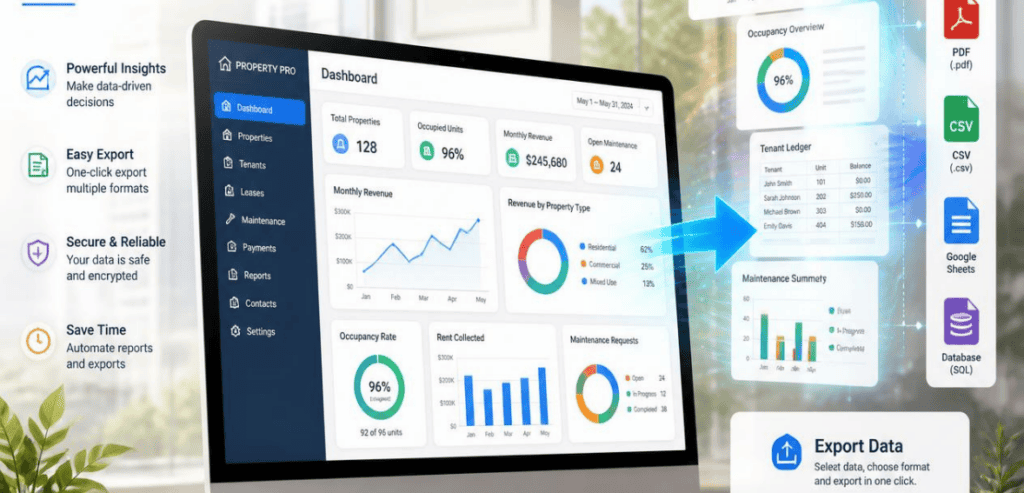
Software demos sell you features. They rarely show you the exit. Yet the ability to pull your own records is one of the most important things you can evaluate. A strong property management software data export capability protects your business for years after the purchase.
The data you’ve collected through the years can become your most valuable asset. When you consider the data held within your system – rent rolls, lease records, contact data, trust accounting balances, equipment records, owner distributions, and vendor files – your operational memory is contained therein. Without the ability to extract and access the data when you need to, you do not fully own the asset. Rather, you are a renter accessing your own data.
Vendor lock-in is rarely intentional. It is more of a friction-based approach to operating a closed data model. It can be evident in an API hidden in the upper tiers of service, or an export that saves data to an effectively unusable format. Much of it can’t be seen when having an informative sales meeting.
Software Procurement Is Really a Data Ownership Decision
Buyers tend to frame procurement around price and features. That’s a mistake. Every software purchase is also a data ownership decision. You are choosing who controls your records and how hard it will be to move them later.
Data ownership means you keep full, exportable access to your owner, tenant, lease, vendor, and financial records. That access should not depend on whether you keep paying. Find out what happens to your data the day your contract ends. Some vendors terminate your access. Better vendors give you a set amount of time to access and export data.
This also impacts your negotiating leverage. Having an easy way to export data increases your negotiating power when it’s time to renew a contract. If you have the option to leave, then you can negotiate against increasing prices and add new, unnegotiable terms. If you can’t leave, then the vendor has full control of the negotiation.
What “Exportable” Actually Means
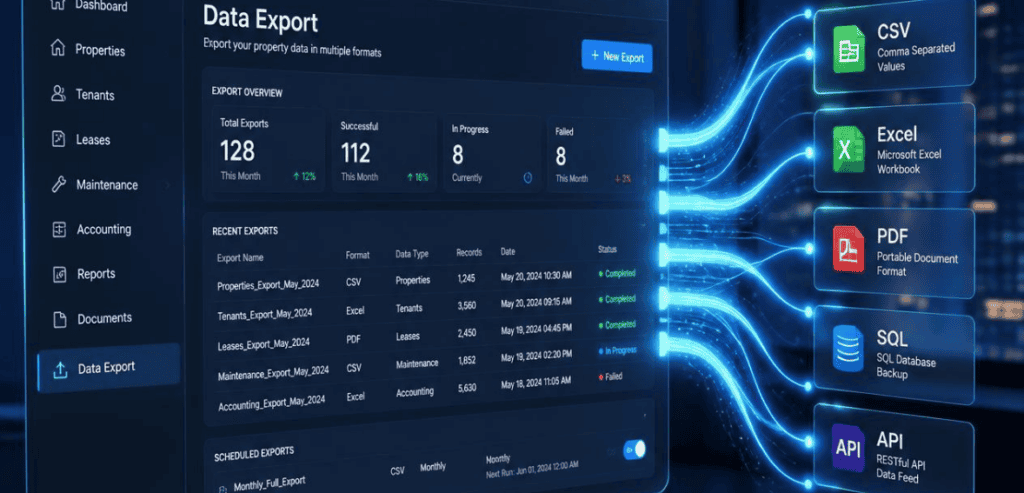
A vendor will almost always say yes when you ask, “Can I export my data?” That answer is nearly meaningless on its own. You need to dig into what, how, and how often. Here is what a serious property management software data export audit should cover.
Coverage: Every Record, Not Just the Easy Ones
Request a full inventory of what can be extracted. This includes resident records, lease data, the chart of accounts, current account balances, complete account history, unit and building structures, vendor records, logs of maintenance requests, and all custom fields incorporated within the framework. Avoid data that only exists within a report. A number that is shown on a dashboard but cannot be retrieved in raw form is not actually extractable. Be aware of document attachments. Lease forms that are signed, reports, and notices should be retrieved, not left behind.
Format: CSV, Excel, and JSON — Not Proprietary
Format quality decides whether a future migration takes weeks or months. Standard, non-proprietary formats are what you want. CSV is the universal choice, and most modern platforms support it. Excel and JSON are useful as well. Be cautious of any vendor that only offers a proprietary file type. Those formats rarely map cleanly to another system. A usable export is structured and ready to import. An unusable one forces your team to re-key years of records by hand.
API Access: The Clearest Signal Against Lock-In
An open API is the best sign a platform doesn’t want to block you from best-of-breed tools and integrate data connectors. Look into whether you can access their API on your own, whether there is a cost associated with it, or whether it is behind a partnership approval process. See if you can access their API documentation, and if so, read it. Sign-off is one of the subtle ways to retain customers. For you, a great API is a way to weaponize your data against the vendor.
Frequency, Fees, and Self-Service
Find out whether you can run an export yourself, on demand, without opening a support ticket. Then ask about cost. Some vendors charge premium fees to extract your own records, especially for large datasets. That’s a red flag. Also confirm the timeframe. A contract should state how quickly the vendor must deliver an export when you request one.
The Contract Clauses That Protect Your Data
Verbal promises during a demo mean nothing after go-live. Put the important stuff in writing. Your agreement should state plainly that you own your data and any intellectual property tied to it.
It needs to enumerate export rights, formats provided, timing for delivery, and whether there is a charge. Try to include a data return clause as your exit strategy. This explains how, when, and in what format the vendor returns your data if the agreement is terminated. Request that your data becomes immediately portable upon termination, even during a billing dispute.
These terms matter just as much as the export terms. Look for acceptable notice and clear exit strategy procedures. There are some good resources out there that help with this, particularly BetterCloud, which provides a very helpful SaaS agreement guide. In particular, for property management agreements, NARPM is an excellent resource, especially for understanding the legal requirements for property management.
How Leading Platforms Handle Exports
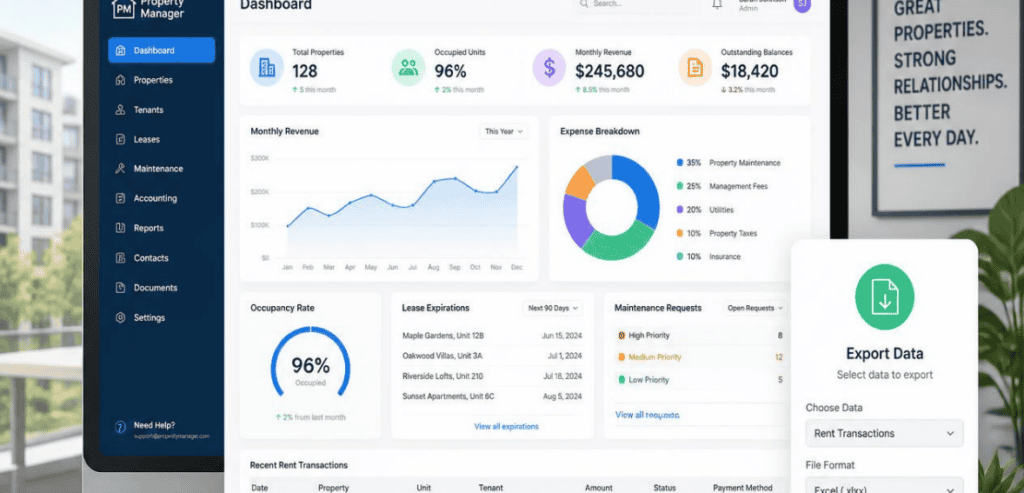
Not all “modern” platforms treat exports the same way. It helps to see how a few well-known names actually approach data access. Use these as a lens, then ask your shortlisted vendors the same questions.
AppFolio
AppFolio’s CSV exports make data extraction simple. They also have a Property Manager API to give programmatic access to reports and directories. The accounting system in AppFolio is simple, and most users don’t have a problem with that when migrating to a different system. However, at least one user mentioned that the mapping between AppFolio and another system’s general ledger is complicated. Balances also have to be closed.
Buildium
Buildium also offers built-in data export tools that cover the core records most managers need. The migration challenge tends to mirror AppFolio’s. Financial data needs restructuring before it maps cleanly to a platform with deeper accounting layers. Document storage conventions differ too, so plan for extra attention on lease files and attachments during any move.
Yardi
Yardi has an advanced platform and a unique data access model. There is a lack of a public API that is self-service and provided with open documentation. Generally, access to data is granted on a licensing basis and is also subject to entitlements and vendor approval. As a result, a lot of teams resort to either SFTP or CSV exports or use partner programs. When evaluating Yardi, ask for specifics on how you would get the data you need without the vendor’s continuous support.
A Practical Pre-Purchase Export Test
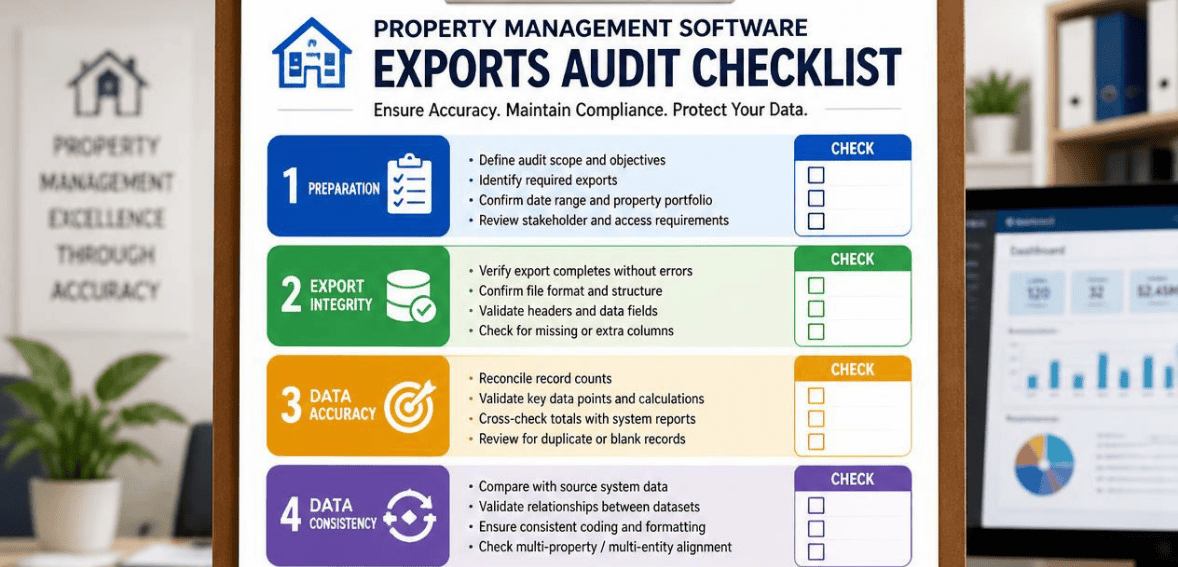
Don’t take a sales rep’s word for it. Ask to run a real test during the evaluation. Request a live export of a sample dataset that includes financial records, not just a tidy contact list. Open the file. Check whether the columns make sense and whether balances reconcile.
Running the export twice with a gap in between helps identify transitional records. This makes sure that you can collect complete records in a consistent manner. This should give you a rough idea of what your future relationship with that vendor is going to be.
The Hidden Cost of Getting Exports Wrong
Poor exporting capabilities aren’t just an inconvenience. They are a clear expense. One-time data migrations cost about $2,000 to $15,000. That depends on the size of your portfolio. The cost quickly increases when data is in a nonstandard format, and your team must clean that data.
Some costs aren’t so obvious, such as the expense of man-hours lost to manual workarounds and delays in getting the product live. There’s also the risk of statements with errors to the clients and trusts that have an imbalance when the move is done quickly. Add the costs of all those things when considering the total cost of ownership. Exporting capabilities that are weak on a platform can lead to a high cost outside of the subscription cost.
Red Flags to Watch for During the Demo
A few warning signs should slow you down. Be wary if the vendor can’t clearly explain what happens to your data after cancellation. Be cautious if exports require a support request every single time. Watch for proprietary-only formats, gated APIs, and per-export charges. And notice if key numbers live only in reports rather than as raw, downloadable data.
There are some special considerations when it comes to trust accounting. Trust accounting must balance to the exact penny, and variances can be an issue with the state real estate board. Trust account data must export without error in order to avoid compliance issues. Incomplete or messy financial exports create real compliance risk.
Conclusion
A property management platform should serve your business, not hold it hostage. The features you see in a demo will fade in importance. The question of whether you can get your data out, cleanly and on demand, will only grow more important over time.
So audit exports before you buy, not after you’re locked in. Confirm broad record coverage. Insist on standard formats like CSV. Verify real API access. Get your ownership and exit rights in writing. Then run a hands-on export test to prove it all works. Treat property management software data export as a core buying criterion, and you protect your data, your leverage, and your freedom to grow. Ownership isn’t a feature you hope for. It’s a requirement you verify.
Frequently Asked Questions
What is property management software data export?
It’s the ability to pull your business records out of your platform in a usable file. That includes tenant records, leases, financials, trust accounting, and maintenance history. Strong export capability means you can retrieve this data on demand, in standard formats, without excessive fees.
Which file format is best for exporting property management data?
CSV is the safest and most universal choice, and nearly every system can read it. Excel and JSON are also useful. Avoid platforms that only export in proprietary formats, since those rarely map cleanly into a new system and often require manual cleanup.
How do I avoid vendor lock-in with property management software?
Prioritize open API access, standard export formats, and clear data ownership terms before signing. Get export rights and a data return clause in writing. Confirm what access you keep after cancellation. Running a hands-on export test during the demo is the best way to verify the promise.
Should I test data export before purchasing?
Yes. Ask to run a real export of a sample financial dataset during evaluation. Open the file and check whether it’s clean and complete. If a vendor won’t let you test extraction before you buy, treat that hesitation as a meaningful warning sign.