Category Archives: Property Management

List of Property Management Software

Comprehensive List of Property Management Software in 2024

Property management has evolved significantly over the years. The conception of property management software (PMS) has transformed how landlords, property managers, and real estate investors operate. These software solutions offer a range of functionalities that streamline operations, improve tenant interactions, and provide valuable insights for better decision-making. In 2024, the market for PMS is more robust than ever, with numerous specialized tools available for different property types and management needs. 

What is Property Management Software?

Property management software is a suite of digital tools designed to assist property owners, managers, and real estate professionals in managing various aspects of property management. These platforms offer tenant and lease tracking, maintenance management, accounting, and financial reporting functionalities. By automating and streamlining these processes, PMS reduces manual workloads, minimizes errors, and improves overall efficiency.

Property Management Software is capable of solving various problems.

Property Management Software is capable of solving various problems.

The software is designed to address a wide range of challenges and streamline the processes involved in managing properties.

  1. Time-Consuming Administrative Tasks  : Property management involves numerous administrative tasks, from tracking rent payments to handling maintenance requests. PMS automates these tasks, freeing up time for managers to focus on more strategic activities.
  2. Inefficient Communication : Effective communication with tenants, vendors, and team members is crucial. PMS offers communication tools like chat, email, and notifications, ensuring timely and organized interactions.
  3. Inaccurate Financial Management : Managing finances, including rent collection, expenses, and financial reporting, can be complex. PMS provides integrated accounting features, reducing errors and providing real-time financial insights.
  4. Maintenance Coordination : Keeping up with maintenance requests and property upkeep can be challenging. PMS solutions often include maintenance tracking, work order management, and vendor coordination features.
  5. Compliance and Legal Issues : Property management involves adhering to various laws and regulations. PMS helps ensure compliance by providing legal templates, tracking lease expirations, and managing other compliance-related tasks.

Types of Property Management Software

Top Property Management Softwares in Dubai​

Property management software comes in various types, each tailored to meet the specific needs of different property types and management scenarios.

Residential Property Management Software List

The Software id designed for managing residential properties, this type of software caters to landlords, property managers, and multifamily housing operators. Key features include tenant management, lease tracking, maintenance scheduling, and accounting. Residential property management software can handle everything from single-family homes to large apartment complexes.

  1. Buildium : Known for its robust tenant and lease tracking features, Buildium also offers online rent payments, accounting, and maintenance request management. Its user-friendly interface makes it a popular choice among small to medium-sized property managers. Buildium’s tenant portal allows for easy communication and efficient handling of maintenance requests, while its accounting features support budgeting, financial reporting, and payment tracking.


  1. AppFolio : AppFolio offers a comprehensive suite of tools, including marketing and leasing features, tenant and lease management, and accounting. Its mobile app allows property managers to conduct inspections and manage properties on the go. AppFolio also provides built-in communication tools for sending bulk messages and reminders, as well as a maintenance portal for tracking work orders and vendor assignments.


  1. TenantCloud : A versatile platform offering a free basic plan, TenantCloud is ideal for small landlords. It includes features like online rent collection, tax reports, and tenant screening. The software also supports listing properties on major rental websites, making it easier for property managers to find tenants. TenantCloud’s cloud-based nature ensures accessibility from any device, enhancing convenience for property managers and tenants alike.


  1. Propertyware : Specifically designed for single-family property management, Propertyware offers advanced features like work order management, tenant screening, and robust accounting tools. It also provides customizable dashboards and reports, allowing property managers to tailor the software to their specific needs. Propertyware’s tenant portal facilitates easy communication and rent collection, while its mobile app supports on-the-go property management.


  1. Innago : Innago stands out for its intuitive interface and ease of use. It offers essential features like lease tracking, tenant screening, and online payments. The platform’s simplicity makes it accessible to landlords and property managers with limited technical expertise. Innago also provides detailed financial reports and analytics, helping property managers stay on top of their financials.

Commercial Property Management Software List

This software caters to commercial properties such as office buildings, retail spaces, and industrial properties. Features often include lease administration, tenant billing, and space management. Commercial property management software helps manage complex lease structures and tenant relationships in multi-tenant properties.

  1. Yardi Voyager : A comprehensive solution for commercial property management, Yardi Voyager offers advanced features like lease administration, tenant billing, and space management. It also supports property accounting, budgeting, and reporting. Yardi Voyager’s integrated platform includes modules for facilities management, energy management, and investment management, making it a versatile choice for large property management firms.


  1. MRI Software : MRI Software provides customizable solutions for property management, including lease administration, tenant billing, and reporting. Its open and connected platform allows integration with various third-party applications, enhancing its functionality. MRI’s advanced analytics and reporting tools provide valuable insights into property performance, helping property managers make data-driven decisions.


  1. Entrata : A full-service property management platform, Entrata offers tools for accounting, facilities management, and resident engagement. Its commercial property management features include lease tracking, tenant billing, and space planning. Entrata also provides marketing and leasing tools, including online applications and tenant screening, making it a comprehensive solution for property managers.


  1. Yardi Breeze : A simplified version of Yardi Voyager, Yardi Breeze is designed for small to mid-sized property management companies. It offers essential features like tenant management, leasing, and accounting. Yardi Breeze’s user-friendly interface and cloud-based nature make it an accessible and affordable option for property managers. The software also includes marketing tools for listing vacancies and attracting new tenants.


  1. VTS : Focused on lease management and tenant engagement for commercial properties, VTS provides insights into leasing activities and market trends. It offers a centralized platform for managing leasing pipelines, tenant interactions, and property data. VTS’s analytics and reporting tools help property managers track key performance metrics and optimize property performance.

Mixed-Use Property Management Software List

This Software is designed for properties with a combination of residential, commercial, and retail spaces, mixed-use property management software provides a range of functionalities tailored to diverse property needs. These solutions support complex property management requirements, including different lease types and tenant management needs.

  1. ResMan : ResMan provides solutions for property management, accounting, and resident engagement, catering to both residential and commercial properties. Its integrated platform includes features like tenant portals, maintenance tracking, and financial reporting. ResMan’s robust analytics tools offer insights into property performance, helping property managers make informed decisions.
  2. RealPage : A comprehensive platform with modules for property management, leasing, and accounting, RealPage caters to mixed-use properties. Its features include tenant and lease tracking, budgeting, and compliance management. RealPage’s advanced analytics and reporting capabilities provide valuable insights into property performance, helping property managers optimize operations and maximize returns.

HOA (Homeowners Association) Management Software List

The software is designed to streamline the operations of homeowners associations, offering tools for communication, accounting, and community management. These platforms help HOA boards manage dues collection, enforce rules, and communicate with residents.

  1. Control Central : Control Central offers a range of tools for HOA management, including communication features, accounting, and community management. The platform includes a portal for residents to access community news, submit maintenance requests, and pay dues online. Control Central’s accounting features support budgeting, financial reporting, and dues collection, making it easier for HOA boards to manage finances.


  1. CINC Systems : CINC Systems provides accounting, banking integration, and management tools for HOAs and community associations. The platform’s comprehensive features include budgeting, financial reporting, and payment processing. CINC Systems also offers a portal for residents to access account information, make payments, and communicate with the HOA board.


  1. com : BuildingLink focuses on communication and management for residential communities, offering tools for announcements, maintenance requests, and document sharing. The platform includes a resident portal, mobile app, and automated notifications, enhancing communication between residents and HOA boards. BuildingLink’s features also include package tracking, amenity reservations, and visitor management.


  1. TOPS [ONE] : A cloud-based platform, TOPS [ONE] offers accounting, management, and communication tools for HOAs. Its features include budgeting, financial reporting, and payment processing. TOPS [ONE] also provides a portal for residents to access community information, make payments, and communicate with the HOA board. The platform’s integrated accounting tools support dues collection, financial tracking, and compliance reporting.

Vacation Rental Management Software List

Tailored for short-term rental properties, vacation rental management software offers features like booking management, guest communication, and channel integration. These platforms help property managers handle reservations, optimize pricing, and manage guest interactions.

  1. Guesty : Guesty provides a centralized platform for managing bookings, guest communication, and channel management. The software integrates with major booking platforms like Airbnb, Booking.com, and Expedia, allowing property managers to manage listings and reservations from a single dashboard. Guesty’s automation features include messaging templates, task management, and pricing optimization, helping property managers streamline operations and maximize revenue.
  2. Hostaway : Hostaway offers a complete solution for property managers, including booking management, automated messaging, and reporting. The platform integrates with various booking channels, allowing for seamless synchronization of availability and pricing. Hostaway’s features also include automated guest communication, task management, and financial reporting, making it a versatile choice for vacation rental managers.
  3. Lodgify : Lodgify provides a website builder, booking management, and channel management tools for vacation rental businesses. The platform allows property managers to create a professional website with online booking capabilities, while its channel manager syncs availability and pricing across multiple booking sites. Lodgify’s features also include automated guest communication, payment processing, and reporting.
  4. Kigo : Kigo offers property management, channel management, and guest communication tools for vacation rental properties. The platform’s features include booking management, pricing optimization, and task automation. Kigo also provides a mobile app for on-the-go property management and a guest portal for managing reservations and communication.

Real Estate Investment Management Software List

The software is designed for real estate investors, this software provides tools for portfolio management, financial analysis, and investor communication. These platforms help investors manage their assets, track performance, and communicate with stakeholders.

  1. Juniper Square : Juniper Square focuses on investment management, providing tools for capital raising, investor reporting, and portfolio management. The platform’s features include document management, performance tracking, and investor communication. Juniper Square’s user-friendly interface and comprehensive features make it a popular choice among real estate investment firms.


  1. DoorLoop : DoorLoop offers a comprehensive property management platform with features for managing investments, leases, and finances. The software includes tools for tracking property performance, managing leases, and generating financial reports. DoorLoop’s integrated platform supports property managers and investors in optimizing operations and maximizing returns.


  1. Hemlane : Hemlane provides a range of tools for property management, including leasing, maintenance, and accounting, with a focus on real estate investors. The platform’s features include tenant screening, lease tracking, and rent collection. Hemlane also offers a network of local agents and service providers, making it easier for investors to manage properties remotely.


  1. UpperBee : UpperBee offers a cloud-based platform for managing real estate investments, including financial reporting and investor relations. The platform’s features include portfolio management, performance tracking, and communication tools. UpperBee’s integrated approach helps investors streamline operations and enhance communication with stakeholders.

Property Maintenance Management Software List

This  software focuses on tracking and managing maintenance tasks, work orders, and vendor relationships. These platforms help property managers stay on top of maintenance needs and ensure timely completion of work orders.

  1. Maintenance Connection : Maintenance Connection offers comprehensive maintenance management features, including work order tracking, preventive maintenance, and asset management. The platform’s features also include inventory management, vendor tracking, and reporting. Maintenance Connection’s mobile app allows property managers to manage maintenance tasks and work orders on the go.


  1. Hippo CMMS : Hippo CMMS provides tools for work order management, preventive maintenance, and asset tracking. The platform’s features include maintenance scheduling, vendor management, and reporting. Hippo CMMS’s user-friendly interface and customizable features make it a versatile choice for property managers.


  1. Fiix : Fiix is a cloud-based CMMS with features for work order management, maintenance scheduling, and asset management. The platform’s features include inventory management, vendor tracking, and reporting. Fiix’s integration capabilities allow property managers to connect the software with other tools and systems, enhancing its functionality.


  1. UpKeep : UpKeep offers mobile-first maintenance management, including work order management, inventory tracking, and asset management. The platform’s features include maintenance scheduling, vendor management, and reporting. UpKeep’s mobile app allows property managers to manage maintenance tasks and work orders from anywhere, enhancing efficiency and responsiveness.

Tenant and Lease Tracking Software List

This software helps property managers track tenant information, lease agreements, and rental payments. These platforms provide a centralized database for managing tenant and lease data, streamlining property management operations.

  1. Rentec Direct : Rentec Direct offers tenant and lease tracking, online rent payments, and accounting features. The platform’s features also include tenant screening, maintenance management, and reporting. Rentec Direct’s integrated platform helps property managers manage all aspects of property management from a single dashboard.


  1. SimplifyEm : SimplifyEm provides property management tools for tenant and lease tracking, accounting, and maintenance management. The platform’s features include online rent collection, expense tracking, and financial reporting. SimplifyEm’s user-friendly interface and affordable pricing make it an accessible option for small property managers and landlords.


  1. Landlord Studio : Landlord Studio focuses on tenant and lease management, offering features like rent tracking, expense management, and tenant screening. The platform’s features also include maintenance tracking, financial reporting, and document management. Landlord Studio’s mobile app allows property managers to manage properties from anywhere, enhancing convenience and efficiency.


  1. Avail : Avail provides tools for tenant and lease management, including online applications, screening, and rent collection. The platform’s features also include maintenance tracking, lease creation, and financial reporting. Avail’s tenant portal allows tenants to submit maintenance requests, pay rent online, and communicate with property managers.


  1. On-Site : On-Site offers leasing and marketing solutions, including tenant screening, online applications, and lease generation. The platform’s features also include lease tracking, rent collection, and reporting. On-Site’s integrated platform helps property managers streamline the leasing process and manage tenant data efficiently.

. Accounting and Financial Management Software List

. Accounting and Financial Management Software List

Specialized accounting software for property management offers tools for financial reporting, budgeting, and rent collection. These platforms help property managers keep accurate financial records and make informed financial decisions.

  1. QuickBooks (with property management plugins) : QuickBooks is a popular accounting platform with plugins tailored for property management. The platform’s features include rent tracking, expense management, and financial reporting. QuickBooks’ integration capabilities allow property managers to connect the software with other tools and systems, enhancing its functionality.
  2. Rentec Pro : Rentec Pro provides accounting, tenant management, and maintenance tracking features, with a focus on financial reporting. The platform’s features include rent collection, expense tracking, and budgeting. Rentec Pro’s integrated platform helps property managers manage all aspects of property management from a single dashboard.
  3. AppFolio Property Manager : AppFolio offers comprehensive accounting tools, along with tenant and lease management features. The platform’s features include rent collection, expense tracking, and financial reporting. AppFolio’s integrated platform helps property managers manage all aspects of property management from a single dashboard.
  4. SKYLINE : SKYLINE offers accounting and financial management tools for commercial and residential properties, including lease administration and financial reporting. The platform’s features also include budgeting, expense management, and rent collection. SKYLINE’s integration capabilities allow property managers to connect the software with other tools and systems, enhancing its functionality.

Hotel Property Management Software List

The software is designed specifically for the hospitality industry, hotel property management software includes features like reservation management, guest services, and billing. These platforms help hotel managers optimize operations, enhance guest experiences, and maximize revenue.

  1. Opera PMS : Opera PMS is a widely used hotel management platform offering comprehensive tools for reservations, guest management, and billing. The platform’s features also include inventory management, housekeeping management, and reporting. Opera PMS’s integration capabilities allow hotel managers to connect the software with other tools and systems, enhancing its functionality.


  1. RoomRaccoon : RoomRaccoon is a cloud-based platform offering booking management, guest communication, and reporting features for hotels. The platform’s features include online booking, channel management, and payment processing. RoomRaccoon’s mobile app allows hotel managers to manage reservations and guest interactions from anywhere, enhancing convenience and efficiency.


  1. Cloudbeds : Cloudbeds provides a complete suite of tools for hotel management, including reservations, billing, and guest communication. The platform’s features include online booking, channel management, and guest messaging. Cloudbeds’ integration capabilities allow hotel managers to connect the software with other tools and systems, enhancing its functionality.


  1. Protel PMS : Protel PMS offers a range of features for hotel management, including reservations, billing, and guest services. The platform’s features also include housekeeping management, inventory management, and reporting. Protel PMS’s integration capabilities allow hotel managers to connect the software with other tools and systems, enhancing its functionality.

Conclusion

The landscape of property management software lists in 2024 is diverse and dynamic, offering specialized solutions for various property types and management needs. From residential and commercial properties to vacation rentals and hotels, there is a wide range of options available, each with unique features and capabilities. As technology continues to advance, property management software will play an increasingly vital role in optimizing property operations, enhancing tenant experiences, and maximizing investment returns. Whether you’re a landlord, property manager, or real estate investor, finding the right software solution can significantly impact your success in the real estate industry.

Property management software streamlines the day-to-day tasks of managing properties, including tenant and lease tracking, maintenance management, and financial reporting. This automation saves time, reduces errors, and provides valuable insights into property performance, ultimately enhancing efficiency and profitability.

Choosing the right property management software depends on factors like the type and size of your properties, specific management needs (such as accounting or maintenance tracking), and budget. It’s essential to evaluate features, ease of use, customer support, and integration capabilities. Consider starting with a demo or free trial to see if the software meets your requirements.

Yes, many property management software solutions offer integration capabilities with various third-party tools and systems, including accounting software, booking platforms, and marketing channels. This integration helps streamline operations and ensures that data flows seamlessly between systems, reducing manual work and improving accuracy.

Most reputable property management software providers prioritize security and use measures like data encryption, secure servers, and regular security updates to protect user data. It’s crucial to choose a software provider with a strong track record of security and compliance with relevant data protection regulations, such as GDPR or CCPA.

CRM Software Transforms Property Management

How CRM Software Transforms Property Management

Property managers are now expected to juggle a multitude of tasks, from tenant communication and lease management to maintenance tracking and financial oversight. As the complexity of property management increases, so does the need for effective tools to streamline operations and enhance efficiency. CRM software, or Customer Relationship Management software, has emerged as a powerful solution, revolutionizing how property managers handle their responsibilities. This article explores how CRM software transforms property management, delving into its features, benefits, and impact on the industry.

Understanding CRM Software

CRM software is designed to manage and analyze customer interactions and data throughout the customer lifecycle. In the context of property management, CRM systems are tailored to manage tenant relationships, streamline administrative tasks, and enhance overall operational efficiency.

History and Evolution of CRM Software

CRM software has its roots in early contact management systems of the 1980s and 1990s, which focused on organizing customer contact information. Over the years, CRM systems have evolved to include advanced features such as sales tracking, marketing automation, and data analytics.

The advent of cloud computing in the 2000s further transformed CRM software, making it more accessible and scalable for businesses of all sizes. Today’s CRM systems offer a wide range of functionalities that are particularly beneficial for property management.

Types of CRM Systems

Types of CRM Systems

Operational CRM

Focuses on automating and streamlining customer-facing processes, such as sales, marketing, and service. For property management, this includes tenant communication, lease management, and maintenance tracking.

Analytical CRM

Analyzes customer data to provide insights and support decision-making. In property management, it helps track tenant behavior, financial performance, and operational efficiency.

Collaborative CRM

Facilitates communication and collaboration between teams and departments. For property managers, this means improved coordination between leasing agents, maintenance staff, and financial teams.

Key Features of Property Management CRM Software

Property Management CRM Software is a vital tool for real estate professionals, offering a suite of features designed to streamline operations and enhance client relationships. These features collectively support property managers in delivering exceptional service and driving business growth.

Tenant Management

Effective tenant management is crucial for maintaining tenant satisfaction and operational efficiency. Property Management CRM Software offer comprehensive tenant management features, including:

  • Centralized Database

Stores all tenant information, such as contact details, lease agreements, payment history, and communication logs, in one place. This centralized database allows property managers to access and update information quickly and accurately.

  • Tenant Profiles

Provides detailed profiles for each tenant, including personal information, lease terms, and history of interactions. This feature helps property managers personalize communication and address tenant needs more effectively.

  • Tenant Segmentation

Allows property managers to categorize tenants based on various criteria, such as lease duration, payment history, or property type. Segmentation enables targeted communication and tailored services.

Automated Communication

Automated communication is a key feature of Property Management CRM software, allowing property managers to automate routine tasks and processes. This includes automating email responses, scheduling appointments, generating reports, and tracking deadlines.

By reducing manual work, automation frees up time for property managers to focus on more strategic tasks and enhances the overall efficiency of property management operations.

  • Rent Reminders

Automatically sends reminders to tenants about upcoming rent payments or overdue amounts, reducing the likelihood of late payments and minimizing follow-up tasks.

  • Maintenance Updates

Notifies tenants about the status of maintenance requests, including when a request is received, assigned, or completed. This transparency improves tenant satisfaction and keeps them informed.

  • Lease Renewal Notices

Sends automated notifications to tenants about lease renewal dates, offering options to renew or discuss changes. This feature helps streamline lease management and reduce administrative workload.

Efficient Maintenance Tracking

Maintenance tracking is streamlined through Property Management CRM Software, allowing property managers to record and monitor maintenance requests, schedule repairs, and track completion. This efficient tracking ensures that maintenance issues are addressed promptly and that properties are well-maintained.

  • Request Submission

Tenants can submit maintenance requests through a web portal or mobile app, which are then logged into the CRM system for tracking and resolution.

  • Task Assignment

Maintenance requests are assigned to the appropriate staff or contractors based on predefined criteria, such as urgency or expertise. This ensures timely and efficient handling of maintenance issues.

  • Progress Monitoring

Property managers can track the progress of maintenance tasks, including completion status and any associated costs. This feature helps ensure that maintenance issues are addressed promptly and within budget.

Financial Management

Financial management through Property Management CRM Software is done by integrating financial oversight with customer relationship tools. This synergy allows property managers to streamline budgeting, track expenses, and optimize revenue collection, all while maintaining detailed records of client interactions and transactions.

  • Rent Collection

Facilitates online rent payments and tracks payment history, reducing the need for manual processing and improving cash flow.

  • Financial Reporting

Generates financial reports, such as income statements, expense reports, and budget forecasts, providing a comprehensive view of the property’s financial performance.

  • Expense Tracking

Monitors and categorizes property-related expenses, such as maintenance costs, utilities, and management fees, aiding in budget management and financial planning.

Lease Management

Property Management CRM Software simplify lease management by providing tools for tracking lease agreements, renewals, and expirations. Property managers can easily manage lease-related tasks, ensuring that lease terms are adhered to and that tenants are notified of important dates.

  • Automated Renewals

Sends reminders about upcoming lease expirations and facilitates the renewal process, reducing the risk of lease gaps and ensuring continuity of tenancy.

  • Digital Agreements

Stores digital copies of lease agreements and related documents, reducing paperwork and simplifying document retrieval.

  • Compliance Tracking

Monitors lease compliance, including adherence to lease terms and conditions, and flags any issues or discrepancies.

Marketing and Lead Management

Marketing and Lead Management

Effective marketing is crucial for attracting tenants and buyers. Property Management CRM Software offer integrated marketing tools that allow property managers to create, manage, and track marketing campaigns.

Additionally, these systems often include social media management features, enabling property managers to engage with potential clients through various online platforms. By consolidating marketing efforts within the CRM, property managers can ensure consistency and efficiency in their campaigns.

  • Lead Management

Tracks and manages leads generated through marketing campaigns or inquiries, ensuring timely follow-up and conversion.

  • Vacancy Listings

Manages property listings and updates, including photographs, descriptions, and availability, across various platforms.

  • Application Processing

Streamlines the application process by managing and reviewing tenant applications, conducting background checks, and processing approvals.

Reporting and Analytics

Reporting and analytics are pivotal in how Property Management CRM Software transforms property management by providing actionable insights and data-driven decision-making. This capability enables better financial oversight, optimized operations, and enhanced tenant satisfaction, leading to more informed decisions and improved property management outcomes.

  • Occupancy Rates

Tracks occupancy rates and identifies trends, helping property managers optimize rental pricing and marketing strategies.

  • Tenant Satisfaction

Analyzes tenant feedback and satisfaction scores to identify areas for improvement and enhance tenant experience.

  • Operational Efficiency

Measures key performance indicators (KPIs) related to maintenance response times, lease renewals, and financial performance, supporting data-driven decision-making.

Enhanced Efficiency and Productivity

Integrating various property management functions within a single CRM system enhances operational efficiency. Property managers can streamline their workflows, reduce redundancies, and improve overall effectiveness by consolidating data and automating processes.

  • Time Savings

Automates routine tasks, such as rent reminders and maintenance tracking, reducing the time spent on manual processes.

  • Error Reduction

Minimizes errors associated with manual data entry and communication, improving accuracy and reliability.

  • Streamlined Workflows

Integrates various property management functions into a single platform, simplifying workflows and reducing the need for multiple software solutions.

Improved Tenant Satisfaction

By offering personalized service, timely responses, and efficient management, CRM software enhances the overall client experience. This improved experience leads to higher client satisfaction, increased retention rates, and a stronger reputation in the industry.

CRM software facilitates streamlined communication and collaboration among property management teams. With centralized communication channels and collaborative tools, team members can easily share information, coordinate efforts, and work together more effectively.

  • Timely Communication

Automated communication tools ensure that tenants receive timely updates and information, enhancing their overall experience.

  • Responsive Service

Efficient maintenance tracking and management lead to faster resolution of issues, improving tenant satisfaction and retention.

  • Personalized Experience

Detailed tenant profiles and segmentation allow property managers to provide personalized services and address individual needs.

Data-Driven Decision Making

Property Management CRM systems provide valuable data-driven insights through analytics and reporting features. These insights help property managers make informed decisions based on trends, performance metrics, and client feedback, leading to more strategic planning and improved outcomes.

  • Informed Decisions

Data analytics and reporting tools help property managers make informed decisions about pricing, marketing, and operational improvements.

  • Performance Monitoring

Tracks key metrics and performance indicators, enabling property managers to assess the effectiveness of their strategies and make necessary adjustments.

  • Strategic Planning

Provides historical data and trend analysis to support long-term planning and strategy development.

Case Studies: Real-World Applications of Property Management CRM Software

We have provided few case studies for better review purpose.

Case Study 1: Enhancing Tenant Experience for a Residential Complex

A residential complex utilized Property Management CRM Software to enhance tenant experience and retention. The system’s automated communication features allowed the property manager to send timely updates on maintenance requests and lease renewals.

The centralized database provided easy access to tenant information, enabling prompt responses to inquiries and issues. The result was a noticeable increase in tenant satisfaction and a reduction in turnover rates.

Case Study 2: Urban Property Group

Urban Property Group, a property management firm specializing in residential and commercial properties, faced challenges in managing tenant communications, tracking maintenance requests, and handling lease agreements efficiently.


The company adopted a customized Property Management CRM Software designed to meet their unique requirements, featuring tenant portals, automated communication, and maintenance request tracking.

Results: 

  • Improved Communication: Tenants could easily submit maintenance requests and communicate with property managers through the CRM portal, reducing response times by 30%.
  • Streamlined Operations: Automated lease management and renewal reminders reduced manual administrative tasks, saving the team 20 hours per week.
  • Enhanced Tenant Satisfaction: The CRM’s reporting features allowed Urban Property Group to track tenant feedback and address issues proactively, leading to a 15% increase in tenant retention rates.

Case Study 3: RealtyTech Solutions

RealtyTech Solutions, a mid-sized property management firm, struggled with organizing and accessing property data, managing tenant inquiries, and handling lease agreements manually.

RealtyTech Solutions adopted a CRM Software designed for real estate management, integrating it with their existing property management software.

Results

  • Centralized Data: All property-related data, including tenant information and lease details, was centralized in one system, improving data accessibility and accuracy.
  • Efficient Inquiry Management: The CRM automated the handling of tenant inquiries and lease applications, reducing processing time by 40%.
  • Increased Productivity: With automated reminders and reporting tools, property managers were able to focus more on strategic tasks rather than administrative work, boosting overall productivity by 25%.

Conclusion

CRM software has transformed property management by providing a centralized platform for managing tenant relationships, streamlining operations, and enhancing efficiency. With automated communication, maintenance tracking, and financial management, CRM systems enable property managers to improve tenant satisfaction, make data-driven decisions, and optimize their operations.

The integration of CRM software into property management practices not only simplifies tasks but also supports growth and scalability in a competitive market. As the property management industry evolves, CRM software will play an increasingly vital role in driving success and delivering exceptional service to tenants.

Property managers can transform their business practices and achieve greater efficiency, profitability, and tenant satisfaction by choosing the right CRM solution and leveraging its capabilities.

Frequently Asked Questions

Yes, CRM software includes marketing tools that help manage and track marketing campaigns, handle lead management, and process tenant applications. It can manage vacancy listings, social media engagement, and streamline application processing, making marketing efforts more efficient and effective.

CRM software enhances operational efficiency by automating routine tasks like rent reminders and maintenance tracking, reducing manual work, and minimizing errors. It consolidates various property management functions into a single platform, streamlining workflows and boosting productivity.

When selecting CRM software, property managers should consider essential features, customization options, integration capabilities, ease of use, user interface, support and training, and scalability. It’s important to choose a CRM that aligns with specific business goals and requirements to ensure it effectively supports property management operations.

CRM software is designed to manage and analyze customer interactions and data throughout the customer lifecycle. In property management, it helps streamline tenant communication, lease management, maintenance tracking, and financial oversight, enhancing overall efficiency and operational effectiveness.

Property managers should assess whether the CRM software can grow with their business by evaluating its customization options, integration capabilities, and support for increased data and user loads. Scalability is crucial for accommodating expanding portfolios and evolving business needs.

Improving Property Inspections with Specialized Software

Improving Property Inspections with Specialized Software

Property inspections are a cornerstone of effective property management, influencing everything from maintenance and repair decisions to tenant satisfaction and property valuation. Traditionally, inspections have been carried out using manual methods—paper forms, handwritten notes, and verbal reports.

While these methods have served their purpose, they are increasingly being overshadowed by specialized Property Management Inspection Software that offers substantial improvements in efficiency, accuracy, and overall effectiveness.

In this article, we will explore the evolution from traditional inspection methods to the use of specialized software, examining the challenges of manual inspections, the advantages of modern software, and how the right tools can elevate property management practices.

We’ll also look at key criteria for choosing the best software, its essential features, and how its implementation can transform both individual performance and team productivity. Finally, we’ll delve into real-world success stories to illustrate the tangible benefits of adopting such technology.

The Need for Property Inspections with Specialized Software

The Need for Property Inspections with Specialized Software

Challenges in Traditional Inspections

Manual Errors: One of the significant drawbacks of traditional property inspections is the high likelihood of human error. Manual data entry, handwritten notes, and physical forms can result in inaccuracies and inconsistencies. These errors can lead to miscommunication, incomplete reports, and, ultimately, costly mistakes in property management decisions.

Inefficiency: Traditional inspection processes are often slow and cumbersome. Inspectors must fill out forms by hand, take photos using separate devices, and then manually compile all information into a report. This process is time-consuming and prone to delays, which can affect the overall efficiency of property management operations.

Difficulty in Data Management: Managing physical documents can be challenging and disorganized. Paper forms can easily be misplaced, damaged, or lost. Additionally, integrating data from various sources into a comprehensive report requires significant manual effort, increasing the risk of errors and inconsistencies.

Limited Real-Time Collaboration: Traditional methods lack real-time collaboration capabilities. Inspectors often work in isolation, and information is not shared immediately with other team members or stakeholders. This lack of real-time communication can hinder decision-making and delay responses to issues.

Advantages of Property Inspections with Specialized Software

Enhanced Accuracy: Specialized Property Management Inspection Software dramatically reduces human error through automation. By standardizing data entry and integrating advanced verification tools, the software ensures that information is accurate and consistent. This leads to more reliable reports and better-informed decision-making.

Increased Efficiency: Automation significantly speeds up the inspection process. With features such as digital forms, real-time data entry, and automated report generation, inspectors can complete their tasks more quickly and efficiently. This increased efficiency translates to faster turnaround times and improved service for clients.

Improved Data Management: Cloud-based property management software centralizes data storage, making it easily accessible and organized. Inspectors can upload and retrieve information from any location, and data can be integrated seamlessly into comprehensive reports. This centralized approach reduces the risk of data loss and enhances overall data management.

Real-Time Collaboration: Real-time updates and notifications facilitate immediate communication between team members. Inspectors can share information as soon as it is collected, enabling prompt responses to any issues or concerns. This real-time collaboration improves coordination and ensures that all stakeholders are informed and engaged throughout the inspection process.

Benefits of Specialized Property Management Inspection Software

Benefits of Specialized Property Management Inspection Software

Level Up Workplace Collaboration Standards

Modern Property Management Inspection Software enhances workplace collaboration by providing real-time access to inspection data and facilitating communication among team members. Features such as shared dashboards, instant messaging, and collaborative tools help ensure everyone involved in the inspection process is on the same page. This improved collaboration leads to more coordinated efforts, quicker problem resolution, and a more efficient workflow.

Easy Data Exchanges

With cloud-based solutions, data can be easily exchanged between inspectors, property managers, and other stakeholders. Inspectors can upload data from the field, and property managers can access it immediately. This seamless data exchange eliminates the need for manual data transfer and reduces the risk of errors or delays.

Get a Competitive Edge

Adopting advanced Property Management Inspection Software provides a competitive advantage by demonstrating a commitment to modern technology and efficiency. This technological edge can attract more clients and set your services apart from competitors who rely on outdated methods. Additionally, the increased efficiency and accuracy offered by the software can enhance client satisfaction and build a positive reputation.

Improved Accessibility

Mobile compatibility ensures that inspectors can access and update data from any location. Whether on-site or working remotely, inspectors can use their mobile devices to enter information, take photos, and generate reports. This improved accessibility enhances flexibility and allows for more efficient inspections.

Live Dashboard

A live dashboard provides real-time visibility into ongoing inspections, key metrics, and overall performance. Property managers can monitor the status of inspections, track progress, and identify potential issues at a glance. This feature enables proactive management and ensures that inspections are completed on schedule.

Produce Professional Inspection Reports

Specialized software generates high-quality, professional inspection reports that include detailed findings, photos, and notes. These reports are customizable and can be tailored to meet specific client requirements. The ability to produce well-organized and visually appealing reports enhances the credibility of the inspection process and provides clients with clear and actionable insights.

Designed for Professional Inspectors

The software is specifically designed for professional inspectors. It offers customizable checklists, automated reminders, and seamless integration with other systems. These tools streamline the inspection process and support the high standards required by professional inspectors.

Criteria for Choosing the Best Property Inspections with Specialized Software

Criteria for Choosing the Best Property Inspections with Specialized Software

 Workflow Templetization

The best Property Management Inspection Software should offer customizable templates for various types of inspections. This allows you to standardize workflows, ensure consistency, and tailor the software to meet specific needs. Customizable templates improve efficiency and accuracy by providing a structured approach to inspections.

Ease of Tenant Communication

Effective tenant communication features are essential for maintaining positive relationships and addressing issues promptly. Look for software that includes automated notifications, feedback collection, and communication tools to facilitate tenant interactions and keep them informed throughout the inspection process.

How Fast It Is to Complete an Inspection

Speed is a critical factor in the efficiency of property inspections. Choose software that accelerates the inspection process through automation and efficient data entry methods. Faster completion times contribute to increased productivity and quicker turnaround for clients.

Inspection Report Readability

The readability of inspection reports impacts client satisfaction and the clarity of the information provided. Select software that generates clear, professional, and easy-to-read reports. Features such as customizable report templates and visual aids enhance the quality and usefulness of the reports.

Customization Options

Customization options are crucial for tailoring the software to specific needs and property types. Look for software that allows you to create and modify checklists, templates, and reports. Customization enhances the relevance and effectiveness of the inspection process.

Ease of Syncing Between Mobile and Desktop

Seamless synchronization between mobile and desktop platforms ensures that data is consistently updated and accessible across different devices. This feature prevents discrepancies and ensures data integrity, allowing inspectors and property managers to work efficiently from any location.

Value-Add Services

Consider additional features and value-added services that enhance the software’s functionality. These may include integrated billing and invoicing, advanced analytics, and customer support. Value-added services improve overall efficiency and provide additional benefits to users.

Comparison of Popular Software Solutions

Several Property Management Inspection Software solutions are available on the market, each offering different features and pricing. Popular options include Inspectorate, HappyCo, and Spectora. Comparing these solutions based on features, user reviews, and pricing can help you identify the best fit for your needs.

Features of Property Inspections with Specialized Software

Features of Property Inspections with Specialized Software

 Real-Time Notifications and Updates

Real-time notifications inform all stakeholders about inspection status, changes, and updates. This feature facilitates timely decision-making and ensures that everyone involved is aware of any developments in the inspection process.

Different Content Formats Support and Streamlined Uploading of Photos and Videos

The software should support various content formats and enable easy uploading of photos and videos. This ensures comprehensive documentation and enhances the quality of inspection reports by providing visual evidence and detailed information.

Automated Features

Automated features, such as content format adjustment, reminder setups, and scheduling, reduce manual effort and streamline the inspection process. Automation helps ensure that tasks are completed efficiently and on schedule.

Seamless Voice-to-Text Transcription

Voice-to-text transcription allows inspectors to quickly document their observations by speaking into their devices. This feature saves time and improves data accuracy by reducing the need for manual typing.

Software and Platform Compatibility, as well as Advanced Integration

Compatibility with other software and platforms and advanced integration capabilities ensure that the inspection software can work effectively within your existing systems. This feature facilitates data sharing and improves overall efficiency.

Cloud Storage

Cloud storage provides secure, accessible, and centralized data management. It reduces the risk of data loss and allows for easy retrieval of inspection information from any location.

Data Confidentiality and Security

Robust security features, such as encryption and access controls, protect sensitive data and ensure compliance with data protection regulations. Data confidentiality and security are essential for maintaining trust and safeguarding information.

Comprehensive Reporting

Comprehensive reporting features include customizable templates, detailed findings, and visual aids. These features enhance the quality and usefulness of inspection reports, providing clients with clear and actionable insights.

Online Report Editing

Online report editing allows for real-time modifications and updates to reports. This feature ensures that information remains accurate and current, allowing for timely corrections and adjustments.

Custom and Ready-Made Checklists and Reports

The availability of custom and ready-made checklists and reports ensures that the software meets diverse inspection needs and preferences. Customization options enhance the relevance and effectiveness of the inspection process.

Real-Time Synchronization

Real-time synchronization ensures that data is consistently updated across all devices and platforms. This feature prevents discrepancies and ensures all stakeholders access the most current information.

Built-In Billing & Invoicing

Integrated billing and invoicing features streamline financial transactions and improve overall administrative efficiency. This feature simplifies the billing process and ensures accurate invoicing for inspection services.

Implementing Specialized Software

Planning: Develop a detailed plan for integrating the software into your workflow. This plan should include timelines, objectives, and resource allocation. Effective planning ensures a smooth transition and minimizes disruptions to your operations.

Training: Provide comprehensive training for all users to ensure they are familiar with the software’s features and functionalities. Training should cover all aspects of the software, including data entry, report generation, and collaboration tools. Proper training enhances user proficiency and ensures that the software is used effectively.

Customization: Configure the software to meet your needs by setting up templates, checklists, and reporting options. Customization ensures the software aligns with your workflow and enhances its relevance and effectiveness.

Testing: Conduct thorough testing to identify and resolve issues before fully deploying the software. Testing should include all features and functionalities to ensure the software performs as expected and meets your requirements.

Feedback and Adjustment: Gather user feedback and make necessary adjustments to optimize the software’s performance and usability. Continuous improvement based on user feedback ensures that the software remains effective and meets evolving needs.

Property Inspections with Specialized Software Can Make You a Better Property Manager

Property Inspections with Specialized Software Can Make You a Better Property Manager

Frees Up Your Valuable Time: By automating routine tasks and streamlining processes, Property Management Inspection Software frees up valuable time for property managers. This allows them to focus on strategic activities, such as client relations and property improvement, rather than administrative tasks.

Improves Communication with the Property Owner: Effective communication features, such as real-time updates and automated notifications, enhance interactions with property owners. Property managers can keep owners informed about inspection results, maintenance needs, and other important information, leading to better relationships and increased trust.

Ensures That You Won’t Forget Anything: With comprehensive checklists and automated reminders, the software helps ensure that no critical tasks or details are overlooked during inspections. This leads to more thorough and accurate evaluations, reducing the risk of missed issues or incomplete reports.

Gives You a Competitive Edge: Leveraging advanced technology and efficient processes provides a competitive edge in the property management industry. By adopting specialized software, property managers can demonstrate their commitment to excellence, attract more clients, and differentiate themselves from competitors who rely on outdated methods.

Conclusion

Specialized Property Management Inspection Software represents a significant advancement in property management. This software enhances accuracy, efficiency, and overall effectiveness by addressing the challenges of traditional inspection methods and offering numerous benefits. The advantages of adopting specialized software are clear, from improving workplace collaboration and data management to providing a competitive edge and boosting team productivity. As the property management industry evolves, embracing such technology will be crucial for staying ahead and delivering exceptional service. The right software can transform inspection processes, elevate performance, and ultimately contribute to the success and growth of property management operations.

HOA Management with Dedicated Software

Effective HOA Management with Dedicated Software

Homeowners Associations (HOAs) are pivotal in fostering harmonious community environments and upholding high standards within residential neighborhoods. However, managing an HOA involves intricate responsibilities ranging from financial management to member communication and property maintenance. 

With the evolving demands of modern communities, HOAs increasingly rely on specialized software to streamline their operations. This article explores the transformative impact of HOA management software. We will delve into what this software encompasses, its essential features, the significant benefits it imparts to communities, and the key challenges it helps overcome. 

Additionally, we will guide you on selecting the most suitable software solution that aligns with the unique needs of your HOA, ensuring a more organized, compliant, and engaged community.

What is HOA Software?

HOA software is a type of property management system specifically designed to assist homeowners associations in managing community operations. This software centralizes and automates tasks such as billing, dues collection, and property maintenance to facilitate better communication between the board members and residents. By integrating various functionalities into a single platform, HOA software ensures that associations can efficiently manage their communities, uphold compliance with legal standards, and enhance the overall living experience of their members.

Key Features of a Good HOA Software

Key Features of a Good HOA Software

A good Homeowners Association (HOA) software plays a crucial role in streamlining operations, enhancing communication, and ensuring effective management of community resources. Below, I will delve into the essential features of a robust HOA software solution, further elaborating on each point to provide a comprehensive understanding:

Financial Management Tools

Financial management is a cornerstone of HOA operations, and robust tools in this area are vital. Good HOA software should offer comprehensive budgeting tools that allow for the creation, tracking, and adjustment of the community’s financial plans. Accounting features should support various functions such as ledger management, accounts payable, and receivable tracking. 

Another critical feature is automated billing, which simplifies the process of dues collection by sending timely invoices and processing payments online. This automation ensures accuracy and reduces the administrative burden. Additionally, financial reporting tools should generate clear and detailed reports on demand, providing insights into the association’s financial health, ensuring transparency, and aiding in strategic decision-making.

Communication Platforms

An effective communication system within an HOA software ensures that all stakeholders—residents, management, and the board—are on the same page. The software should include a dedicated platform for sending newsletters, which can be used to keep residents informed about upcoming events, maintenance updates, and other pertinent news. 

An announcement board is also essential for posting important notices and information. Direct messaging capabilities enable one-on-one communication between management and residents or among residents themselves, which is crucial for building community relationships and swiftly addressing individual concerns.

Document Storage and Management

Managing the plethora of documents in an HOA is no small feat. The software should provide a secure, cloud-based storage solution that allows users to upload, organize, and retrieve documents such as meeting minutes, financial records, bylaws, and community policies. 

Access controls are crucial to protect sensitive information and only available to authorized individuals. The ability to easily search for and retrieve documents also enhances operational efficiency, ensuring that the necessary documentation backs all community operations.

Maintenance Request Tracking

Maintenance management is another area where HOA software can add significant value. The software should allow residents to submit maintenance requests through an easy-to-use portal. From there, management should be able to track these requests, prioritize them based on urgency, and schedule repairs. 

Communication features within this module should notify residents about the status of their requests and provide updates as their issues are addressed. This not only streamlines the maintenance process but also builds trust as residents see their concerns being handled promptly and efficiently.

Member and Property Management

Effective management of member information and property details is essential for any HOA. The software should include a centralized database that houses information on property ownership, resident contact details, and historical data on membership dues and payments. 

This centralization aids in maintaining an up-to-date record of the community’s demographic and financial status. It also supports compliance with HOA policies by making it easier to monitor and enforce regulations regarding property use and community standards.

By integrating these features, a Property Management Software for HOA can dramatically enhance the operational efficiency and community satisfaction in a homeowners association, ensuring that all processes run smoothly and in accordance with established guidelines.

Benefits of Using HOA Management Software

Benefits of Using HOA Management Software

Implementing Homeowners Association (HOA) management software can significantly enhance an association’s operational efficiency and community engagement. Here’s an in-depth look at each benefit:

Efficiency

HOA management software automates numerous routine tasks that traditionally consume considerable time. This includes automating dues collections, scheduling maintenance work, and managing service requests. 

By reducing the administrative burden on board members and property managers, the software allows them to focus on more strategic tasks that improve the community’s living conditions and property values. Automation also ensures that tasks are performed consistently and on schedule, reducing the chances of oversight or delay.

Accuracy

Accuracy in managing an HOA’s finances and records is paramount. HOA management software helps minimize human errors in financial transactions and record-keeping. The software typically features robust accounting tools for invoicing, budgeting, and financial reporting. 

These tools ensure that all financial transactions are accurately recorded and easily traceable, essential for annual audits and financial health monitoring. By automating these processes, the software ensures precision in financial management, reducing the risk of discrepancies and financial disputes.

Transparency

Transparency is crucial in building and maintaining trust within the community. HOA management software can significantly enhance transparency by giving residents and board members real-time access to pertinent information. 

This includes direct access to governing documents, financial reports, and meeting minutes through the software’s portal. Such transparency ensures that all community members are well-informed about the association’s finances and decisions, which can lead to better engagement and trust among residents.

Community Engagement

Effective communication is the backbone of active community engagement. HOA management software often includes features like community forums, event calendars, and notification systems that help streamline communication. 

These tools facilitate easier participation in community affairs, from voting on important issues to organizing community events. By simplifying the information dissemination and feedback collection process, the software plays a crucial role in enhancing resident satisfaction and promoting a more cohesive community atmosphere.

Incorporating “Property Management Software for HOA” into your community management strategy streamlines operations and builds a more engaged and transparent community environment. This technology is becoming essential in modern residential management, offering robust solutions that cater to an HOA’s diverse needs.

Challenges and Solutions in HOA Management

Managing a Homeowners Association (HOA) can be complex and demanding, with various challenges that require practical solutions. Here’s a closer examination of some common challenges and how HOA management software can address them:

Regulatory Compliance Tools 

One of the primary challenges in HOA management is ensuring compliance with a myriad of state laws and local regulations, which can often be intricate and frequently updated. HOA management software includes regulatory compliance tools that help associations stay informed about relevant laws and ensure all practices and procedures adhere to these regulations. 

These tools can automatically update to reflect changes in legislation, offering templates for legal documents that meet current standards. By automating compliance checks, the software helps prevent legal issues arising from non-compliance, safeguarding the association against potential fines and legal disputes.

Budget Management Features 

Financial management within an HOA involves strict budgeting and financial oversight to prevent overruns and ensure fiscal health. HOA management software comes equipped with budget management features that assist in creating, tracking, and adjusting the association’s budget. 

These tools provide detailed financial reporting and real-time budget status, which helps the board make informed decisions about expenses and investments. By using these features, associations can maintain financial discipline, better anticipate future expenses, and ensure that financial resources are used efficiently, all of which contribute to the financial stability of the community.

Conflict Resolution Platforms 

Disputes among residents or between residents and the association board are common in community living. These can stem from disagreements over community rules, property use, or other sensitive issues. HOA management software often includes conflict resolution platforms that provide structured dispute management and rule enforcement methods. 

These platforms allow residents to lodge complaints or disputes directly through the software, where they can be managed transparently and efficiently. Furthermore, the software can facilitate communication between involved parties to help resolve issues amicably and swiftly, thereby maintaining harmony within the community.

Incorporating “Property Management Software for HOA” into the management strategy can mitigate these common challenges. By leveraging the right tools, HOA boards can enhance their operational effectiveness, maintain regulatory compliance, manage budgets more efficiently, and handle resident disputes effectively, leading to a more smoothly run community.

What to Look for When Choosing HOA Software?

What to Look for When Choosing HOA Software

When selecting software for managing a Homeowners Association (HOA), there are several important factors to consider. Each criterion is critical to ensuring the software not only meets the current needs of your HOA but also adapts to future changes and challenges. Here’s a detailed look at each factor:

Customizability: 

One of the key features to look for in HOA software is its customizability. This feature allows the software to be tailored to fit the unique requirements and operational procedures of your HOA. 

Customizability can include the ability to modify user roles to match the structure of your organization, the flexibility to adjust financial reporting categories to align with your budgeting needs, and the capability to integrate with other tools and services that the HOA already uses, such as payment processing systems or email services. 

This adaptability ensures that the software can serve as a comprehensive solution that addresses all specific aspects of your HOA management.

User-friendliness:

The usability of the HOA software is crucial. An intuitive user interface ensures that all members of the community, regardless of their technical expertise, can efficiently use the software. This means simple navigation, clear labels, easy-to-follow menus, and minimal technical jargon. 

An accessible interface reduces the learning curve and minimizes frustration, enhancing user engagement and ensuring that both staff and residents can accomplish their tasks with ease. Additionally, consider software that offers a mobile-friendly version or app, as this increases accessibility, allowing users to manage tasks and access information on the go.

Scalability:

As your community grows, so do its management needs. Scalability in HOA software refers to its ability to handle an increasing amount of work or its potential to be enlarged to accommodate that growth. This could mean managing more properties, handling more complex accounting tasks, or providing more detailed reporting and analytics. 

Scalable software should allow you to add features, increase the number of users, and incorporate more complex functionalities without significant disruptions or the need for entirely new software. This adaptability protects your investment over time, ensuring the software remains useful as your HOA evolves.

Support and Training: 

Robust support and comprehensive training resources are vital components of effective Property Management Software for HOA. Good customer support ensures that any issues you encounter can be quickly resolved, minimizing downtime and frustration. This support might include 24/7 live chat, phone support, or timely email responses. 

Training resources are equally important, as they ensure that all users can fully utilize all features of the software. These resources might include online tutorials, webinars, comprehensive manuals, and even in-person training sessions. The availability of thorough training and support not only enhances the user experience but also ensures the software is used to its fullest potential.

By carefully evaluating each of these criteria, you can select an HOA software solution that not only meets your current needs but also supports the future growth and complexities of your community.

HOA Statistics and Technology Trends

Recent trends indicate a significant increase in HOAs’ adoption of digital tools. Statistically, communities using dedicated HOA software report higher resident satisfaction and more efficient management. The future of HOA management is leaning heavily towards mobile integration, AI-driven analytics for predictive maintenance, and enhanced security features.

Conclusion

Integrating dedicated HOA management software has significantly transformed how Homeowners’ Associations operate. These digital tools enhance efficiency, accuracy, transparency, and community engagement, allowing for streamlined administrative tasks, improved financial management, and enhanced communication. Effective software solutions also make addressing key challenges like regulatory compliance and conflict resolution more manageable.

As HOAs evolve, selecting the right software—considering factors such as customizability, scalability, and support—becomes crucial. This ensures that the software adapts to future needs and sustains effective community management. By embracing these technologies, HOAs can optimize operations and create a vibrant, cohesive community environment, fulfilling the expectations of all residents.

Frequently Asked Questions

HOA management software is designed to centralize and automate tasks such as billing, dues collection, and property maintenance, facilitating better communication and compliance within homeowner associations.

It offers tools for budgeting, accounting, and automated billing, which streamline financial processes, ensure accuracy, and provide clear, detailed financial reports to enhance decision-making and transparency.

Yes, it includes features like forums, event calendars, and notification systems that streamline communication, making it easier for residents to participate in community affairs and enhancing overall engagement.

Key features include customizability, user-friendliness, scalability, robust support, and comprehensive training resources to ensure the software meets current and future community management needs.

HOA software includes compliance tools that stay updated with changes in laws, offering templates and automated checks to help ensure all community practices adhere to legal standards and regulations.

Benefits of Open Source Property Management Software

Exploring the Benefits of Open Source Property Management Software

In the dynamic world of property management, the software used can significantly impact efficiency, cost-effectiveness, and overall business success. Property managers and businesses need reliable tools to handle various tasks such as tenant communication, maintenance scheduling, rent collection, and financial reporting. Traditionally, many have relied on closed-source, proprietary software solutions. However, the advent of open-source property management software is revolutionizing the industry, offering various benefits that are hard to ignore.

This article analyzes open-source property management software’s essence, advantages, and potential drawbacks, providing a comprehensive guide for businesses and developers alike. In the ever-evolving landscape of property management, efficiency and adaptability are paramount. The software tools employed by property managers play a crucial role in streamlining operations such as tenant communication, maintenance scheduling, rent collection, and financial reporting. Traditionally, many have turned to closed-source, proprietary software solutions.

However, the rise of Property Management Software Open Source is transforming the industry by offering unparalleled flexibility, cost savings, and collaborative potential. This article explores the essence of Open Source Software, delves into its myriad benefits, and considers potential drawbacks, providing a comprehensive guide for businesses and developers aiming to optimize their property management processes.

What is an Open Source Property Management Software and Its Importance?

Open Source Property Management Software

Property Management Software Open Source refers to programs designed to help manage properties, where the source code is freely available for anyone to view, modify, and distribute. Unlike proprietary software, open-source solutions offer transparency, flexibility, and a collaborative environment for continuous improvement. These attributes make Open-source Property Management Software an increasingly popular choice for property management.

The importance of Open source Property Management Software in property management lies in its adaptability and cost-effectiveness. As property management needs vary greatly from one business to another, the ability to customize software to meet specific requirements is invaluable. Open-source solutions allow businesses to modify the software to better align with their unique workflows, integrate with other systems, and innovate faster. Additionally, the reduced cost of licensing fees can be a significant financial advantage, especially for smaller companies or startups.

Difference Between Open-source Property Management Software and Closed Property Management Software

Licensing and Ownership

Open-source Property Management Software: Typically licensed under agreements like the GNU General Public License (GPL) or the MIT License, Open-source Property Management Software grants users the rights to use, study, modify, and distribute the software freely.

Closed-source Property Management Software: Proprietary software is usually licensed under restrictive terms, limiting users’ ability to alter or distribute the software. Ownership and control remain with the software vendor.

Cost

Open-source Property Management Software: Generally free to use, with no licensing fees. The primary costs involve implementation, customization, and maintenance.

Closed-source Property Management Software: Often comes with substantial licensing fees and ongoing costs for updates, support, and maintenance.

Access to Source Code

Open-source Property Management Software: The source code is openly available, allowing users to understand the inner workings of the software, modify it, and ensure it meets their needs.

Closed-source Property Management Software: The source code is proprietary and inaccessible to users, preventing customization and limiting transparency.

Customization and Flexibility

Open-source Property Management Software: Highly customizable, enabling businesses to tailor the software to their specific requirements and integrate it with other tools.

Closed-source Property Management Software: Customization is typically limited to what the vendor allows, often involving additional costs and waiting periods.

Community and Support

Open-source Property Management Software: Backed by a community of developers and users who contribute to its development, provide support and share solutions.

Closed-source Property Management Software: Support is provided by the vendor, often at a cost, and users are dependent on the vendor for updates and fixes.

Varieties of Open Source Property Management Systems

Open-source property management systems can be categorized into various types based on their underlying technologies. Each type is crucial in ensuring the system’s efficiency, scalability, and security. Here are some key types:

  1. Operating Systems

Linux

Linux is a versatile and widely used open-source operating system known for its stability and security. It forms the backbone of many open-source property management systems, providing a reliable and secure environment for running applications.

FreeBSD

FreeBSD is another robust operating system renowned for its advanced networking, performance, and security features. Its powerful network stack and security features make it a popular choice for property management systems that require high performance and reliability.

ReactOS

ReactOS is an open-source operating system intended to be binary-compatible with Windows, allowing users to run Windows applications. This compatibility makes it an excellent choice for those who prefer an open-source solution but need to run specific Windows-based property management applications.

  1. Web Servers

Apache HTTP Server

Apache HTTP Server is one of the most popular web servers, known for its flexibility and powerful features. It is often used to host property management applications due to its robust architecture and extensive module support.

NGINX

NGINX is a high-performance web server and reverse proxy server known for its stability, rich feature set, and low resource consumption. Its ability to handle large amounts of traffic efficiently makes it ideal for property management systems that require scalability.

Lighttpd

Lighttpd is a lightweight web server optimized for speed-critical environments, making it ideal for serving property management software. Its minimal resource usage and high performance make it suitable for systems with limited hardware resources.

Node.js

Node.js is an open-source, cross-platform JavaScript runtime environment that executes JavaScript code outside a web browser. It’s used for developing fast and scalable network applications, making it a good choice for real-time property management applications.

Apache Tomcat

Apache Tomcat is an open-source implementation of the Java Servlet, JavaServer Pages, and Java Expression Language technologies, widely used for running Java applications. Its robust support for Java-based applications makes it a reliable choice for property management systems developed in Java.

  1. Databases

MySQL

MySQL is a widely used open-source relational database management system known for its reliability and performance. It is commonly used in property management systems to store and manage data efficiently.

MariaDB

MariaDB is a fork of MySQL that offers enhanced performance, security, and scalability. Its compatibility with MySQL makes it an attractive alternative for those seeking additional features and improved performance.

Hadoop

Hadoop is an open-source framework that allows for the distributed processing of large data sets across clusters of computers. Its ability to handle big data makes it suitable for property management systems that require advanced data analytics and processing capabilities.

  1. Programming Languages

PHP

PHP is a widely-used open-source scripting language that is especially suited for web development. Its ease of use and extensive framework support make it a popular choice for developing property management systems.

Python

Python is a high-level programming language known for its readability and versatility. Its extensive libraries and frameworks make it ideal for developing scalable and feature-rich property management applications.

Java

Java is a robust, object-oriented programming language widely used for building enterprise-level applications. Its platform independence and strong performance make it a reliable choice for property management systems.

Ruby

Ruby is a dynamic, open-source programming language with a focus on simplicity and productivity. Its elegant syntax and powerful frameworks, like Ruby on Rails, make it suitable for developing modern property management applications.

  1. Cloud/Virtualization

Docker

Docker is an open-source platform that automates the deployment of applications inside lightweight, portable containers. It enables property management systems to be easily deployed and scaled across different environments.

Kubernetes

Kubernetes is an open-source system for automating the deployment, scaling, and management of containerized applications. Its powerful orchestration capabilities make it ideal for managing large-scale property management systems.

KVM

KVM (Kernel-based Virtual Machine) is an open-source virtualization technology built into the Linux kernel. It allows property management systems to run multiple virtual machines on a single physical server, improving resource utilization and flexibility.

  1. Encryption

GnuPG

GnuPG (GNU Privacy Guard) is an open-source encryption software that provides cryptographic privacy and authentication. It is used to secure sensitive data in property management systems, ensuring data confidentiality and integrity.

OpenSSH

OpenSSH is an open-source suite of secure networking utilities based on the Secure Shell (SSH) protocol. It provides encrypted communication between property management systems and remote servers, enhancing security.

OpenVPN

OpenVPN is an open-source software application that implements virtual private network (VPN) techniques for creating secure point-to-point or site-to-site connections. It is used to secure network communications in property management systems, protecting data from unauthorized access.

Benefits of Open Source Software for Businesses and Managers

Adopting open-source property management software can provide numerous benefits to businesses and managers, including:

Cost-effectiveness

Open-source Property Management Software eliminates the need for expensive licensing fees. The primary expenses involve initial implementation, customization, and ongoing maintenance, which are often lower than the costs associated with proprietary software.

Faster Product Launches

With Open-source Property Management Software, businesses can quickly implement and deploy solutions without waiting for vendor releases or dealing with licensing constraints. This agility allows for faster product launches and the ability to stay ahead of the competition.

Scalability

Open-source solutions are highly scalable, enabling businesses to expand their operations and add new features as needed. This flexibility ensures that the software can grow with the business.

No Vendor Lock-in

Businesses using Open-source Property Management Software are not dependent on a single vendor for updates, support, or customization. This independence allows for greater control over the software and its future development.

Access to a Wider Talent Pool

The open-source community is vast, providing access to a global pool of developers and experts who can contribute to the software’s development and offer support. This collaboration can lead to innovative solutions and continuous improvement.

Benefits of Open Source Software for Developers

Developers also gain significant advantages from working with open-source property management software:

Learning and Skill Development

Contributing to open-source projects allows developers to learn new technologies, improve their coding skills, and gain experience in a collaborative environment. This hands-on experience is invaluable for career growth.

Quicker Start

Open-source Property Management Software provides a solid foundation for developers to build upon, allowing for a quicker start to projects. The availability of pre-built modules and libraries accelerates development time.

Active Developer Community

The open-source community fosters collaboration and knowledge sharing. Developers can seek advice, share solutions, and contribute to the software’s improvement, creating a supportive and innovative environment.

Access to High-quality Software

Open-source projects often undergo rigorous peer reviews and testing, resulting in high-quality software. Developers benefit from using reliable and well-documented code.

Transparency and Accountability

The open nature of the source code ensures transparency, allowing developers to understand how the software works and identify potential issues. This transparency fosters accountability and trust in the software.

Drawbacks of Using Open Source Property Management Software

Despite its numerous benefits, open-source property management software also has some drawbacks:

Absence of Formal Support

One significant drawback of Property Management Software Open Source is the lack of formal support. While the open-source community can provide support, it often lacks the reliability and timeliness of professional support services offered by vendors of proprietary software. The community-driven nature means that assistance may vary in quality and responsiveness, depending on the contributors’ availability and expertise. Consequently, businesses may need to hire in-house experts or third-party consultants for technical assistance, which can incur additional costs and management overhead. This absence of guaranteed support can be particularly challenging during critical issues or when urgent help is needed.

Possible Security Vulnerability

Property Management Software Open Source can be susceptible to security vulnerabilities if not properly managed. Since the source code is publicly available, it can be scrutinized by anyone, including malicious actors who might exploit potential weaknesses. This makes it imperative for organizations to implement robust security measures and maintain vigilance in applying patches and updates. Additionally, without a dedicated team to manage security, there is a risk that vulnerabilities may not be addressed promptly, leaving the system exposed to threats. Businesses must invest in regular security audits and proactive monitoring to mitigate these risks, which can add to the overall maintenance burden.

Compatibility and Integration Challenges

Integrating open-source property management software with existing systems and proprietary solutions can sometimes pose significant challenges. Compatibility issues may arise, necessitating additional customization and development efforts to ensure seamless integration. Unlike proprietary software that often comes with built-in compatibility features and vendor support for integration, open-source solutions may require extensive configuration and testing to achieve the desired interoperability. This can be time-consuming and may require specialized technical expertise. Moreover, ensuring that the open-source software remains compatible with future updates of other systems can be an ongoing challenge, potentially leading to increased complexity and maintenance efforts.

Conclusion

Property Management Software Open Source offers a wealth of benefits, from cost savings and scalability to customization and community support. By eliminating the high costs associated with proprietary software licenses, businesses can reallocate resources towards other critical areas of their operations. The scalability of open-source solutions ensures that they can grow alongside a business, adapting to increased demands without requiring costly upgrades.

Furthermore, the customization options available with Property Management Software Open Source enable companies to tailor the software to their specific needs, enhancing efficiency and user satisfaction. Community support, another significant advantage, provides access to a vast network of developers and users who contribute to the continuous improvement and security of the software, ensuring it remains cutting-edge and reliable.

However, it is essential to weigh these advantages against potential drawbacks, such as the need for robust security measures and possible integration challenges. While Property Management Software Open Source can offer significant flexibility and control, businesses must be vigilant in implementing strong security protocols to protect sensitive data. Additionally, integrating open-source solutions with existing systems can sometimes pose challenges, requiring technical expertise and careful planning.

By carefully considering these factors, businesses can make informed decisions and leverage Property Management Software Open Source to enhance their property management operations. Balancing the benefits of customization, cost savings, and community support with the need for robust security and seamless integration will enable businesses to maximize the potential of open-source solutions in the competitive property management industry.

Frequently Asked Questions

Property Management Software Open Source refers to programs designed to help manage properties, where the source code is freely available for anyone to view, modify, and distribute. This transparency and flexibility allow for significant customization to meet specific business needs.

Open-source software is generally free to use with no licensing fees, making it a cost-effective option. The primary expenses involve implementation, customization, and maintenance, which are often lower than the costs associated with proprietary software.

The key advantages include cost-effectiveness, scalability, customization options, no vendor lock-in, and access to a global community of developers and experts. These benefits can significantly enhance efficiency and adaptability in property management.

Yes, open-source software can be vulnerable to security risks if not properly managed. The public availability of the source code can be exploited by malicious actors, so it is crucial to implement robust security measures and keep the software updated with patches.

While open-source software offers high customization, integrating it with existing systems can sometimes pose challenges. Compatibility issues may arise, requiring additional effort and technical expertise to ensure seamless integration.

Maintenance Management with Software Tools

Streamlining Maintenance Management with Software Tools

In today’s business environment, contractors and other companies depend heavily on physical assets such as equipment, machinery, vehicles, and tools to operate effectively. These assets require regular maintenance to maintain their longevity and performance. Maintenance management plays a vital role in ensuring that these assets are kept in good condition and are used efficiently.

Previously, maintenance management relied on paper-based systems, which could have been more efficient but were prone to information loss. With the introduction of cloud-based maintenance management systems, businesses can manage their maintenance tasks more efficiently and effectively.

This article will discuss the significance of maintenance management, introduce the concept of computerized maintenance management, and outline the advantages of implementing maintenance management software in your business.

Difficulties in Maintenance Management

maintenance management

Maintenance management often needs to improve due to outdated processes and the need for a centralized work order system. Recognizing these problems is crucial to developing effective solutions and enhancing maintenance operations.

In contracting, the conventional maintenance approach is plagued with numerous issues and inefficiencies, such as:

  • No Standardization: Maintenance practices vary without standardized procedures and documentation, compromising reliability and increasing the likelihood of equipment failure.
  • Manual Work Management: Relying on manual systems like paper-based work orders or spreadsheets leads to inefficiencies, mistakes, and delays in creating, assigning, and work order tracking.
  • Communication Breakdowns: Inadequate communication among maintenance teams, technicians, and other stakeholders can cause misunderstandings, task completion delays, and increased downtime.
  • Limited Visibility: Insufficient insight into maintenance activities and asset performance can impede decision-making. This issue makes prioritizing tasks, allocating resources effectively, and planning preventive maintenance difficult.
  • Reactive Maintenance: Depending too much on reactive maintenance often results in increased maintenance costs, more frequent downtime, and decreased equipment reliability.

The absence of a centralized work order system significantly impacts both productivity and costs in contractor maintenance management:

Misallocation: Poor resource allocation due to limited insight into ongoing maintenance activities often results in the unnecessary use of time, labor, and materials, which elevates maintenance expenses.

Downtime: Maintenance teams need a centralized system to prioritize tasks effectively, leading to prolonged downtime and interruptions in production schedules.

Higher Maintenance Load: Inefficient work order management and a tendency towards reactive maintenance contribute to increased costs. This is often due to emergency repairs, unplanned downtime, and excessive labor charges.

Delayed Responses: Relying on manual work order management slows down the response to maintenance needs, prolonging equipment downtime and decreasing overall productivity.

Ineffective Scheduling and Planning: The lack of a unified system complicates the planning and scheduling of preventive maintenance, which may result in overlooked inspections and a higher likelihood of equipment failures.

Adopting a unified work order system can address these prevalent issues and inefficiencies in traditional maintenance processes, thereby enhancing productivity and reducing costs for contractors. Implementing a comprehensive work order software solution is vital for improving maintenance management in the contracting industry.

What Is Maintenance Management Software?

puzzle

Maintenance management software is a comprehensive platform that empowers maintenance teams to manage, monitor, and coordinate a wide range of maintenance activities. This includes everything from scheduling preventive maintenance, managing work orders, and compiling detailed reports. Maintenance software addresses the multifaceted requirements of contemporary businesses with an all-encompassing approach.

This software significantly boosts productivity by transitioning from manual to digital and automated maintenance procedures. It streamlines operations, reduces the frequency and duration of downtime, and significantly prolongs the operational life of essential machinery and equipment. Such software ensures more accurate tracking and improved compliance with maintenance protocols, ultimately contributing to better asset management and operational reliability.

Essential Features of Maintenance Management Software

This section highlights the key components that make these vendor management tools critical for effective maintenance management.

  • Preventive Maintenance Scheduling: This feature supports proactive maintenance efforts by organizing routine maintenance tasks based on the usage and historical data of assets, thus minimizing the risk of unexpected equipment failures.
  • Asset Management: This function allows for the detailed cataloging and organization of assets such as equipment, machinery, and facilities, creating a centralized hub for important asset details.
  • Inventory Control: This tool helps in managing inventory levels of spare parts, enabling better stock control, streamlined reordering processes, and reduced downtime due to parts unavailability.
  • Work Order Management: This feature enhances the efficiency of generating, allocating, and monitoring work orders, ensuring that maintenance tasks are completed on time and maintenance team workflows are optimized.
  • Mobile Accessibility: Mobile compatibility allows field technicians to use the system via mobile devices, facilitating timely updates, immediate data entry, and effective communication while in the field.
  • Equipment Monitoring and Diagnostics: Advanced monitoring and diagnostic capabilities provide real-time insights into equipment health, identify irregularities, and alert for early intervention to avoid significant breakdowns.
  • Compliance Management: This feature helps in maintaining compliance with industry standards and regulations through streamlined documentation and automated processes for maintenance-related tasks.
  • Reporting and Analytics: This function generates detailed reports and analytics on maintenance operations, asset functionality, and key performance metrics, supporting informed decision-making.
  • User-Friendly Interface: The software is designed with an intuitive interface that simplifies navigation and reduces the time required to train new users, encouraging broader use.
  • Integration Capabilities: The ability to integrate smoothly with other business management systems, such as ERP or CRM, improves interdepartmental collaboration and data exchange.
  • Notification and Alerts: Customizable alerts and notification systems keep users informed about upcoming maintenance duties, pending tasks, or urgent equipment issues, ensuring appropriate and prompt actions are taken.
  • Historical Data Storage: A comprehensive archive of all maintenance records allows for trend analysis, performance assessments, and the enhancement of maintenance plans based on historical insights.
  •  

How Does Maintenance Management Software Help Streamline the Process?

How Does Maintenance Management Software Help Streamline the Process?

Maintenance management software tackles these challenges by offering a unified, automated platform to manage all maintenance tasks. Here’s how this software promotes compliance:

Centralized Data for Effective Audits

Centralizing records for all equipment sets the groundwork for robust maintenance. It provides easy access to vital information such as purchase dates, lifespan, depreciation, etc. This consolidation is invaluable for assessing equipment conditions and scheduling services proactively. Centralized data simplifies access to required information and enhances the efficiency and accuracy of maintenance audits.

Regular audits let you track asset location, custody, and maintenance status and identify those needing urgent attention. They also guide the maintenance schedules for various assets, reducing the risk of equipment failure. Maintenance management software plays a key role during audits by ensuring optimal equipment performance and supporting well-informed decision-making, thus preventing excessive and insufficient maintenance.

Efficient Work Order Management

Maintenance management software streamlines the handling of equipment repairs and maintenance through work orders. Creating a work order triggers a maintenance or repair request, incorporating all necessary details, including a comprehensive checklist for the repair process. This system enables precise descriptions of needed materials, saving time and ensuring technicians have the correct resources.

Advanced features in the software allow for the creation of various types of work orders, such as marking an item for “preventive maintenance” before use. Assigning technicians to specific orders ensures proper supervision and adherence to outlined procedures. This approach saves time and enhances the tracking of maintenance and repair activities, allowing for any discrepancies to be noted and addressed. Relevant information can be added to work orders, reducing errors and ensuring each asset receives appropriate care.

Streamlined Inventory Management

Efficient inventory management is crucial for maintenance operations. Poor inventory control can lead to increased costs from scheduling errors, resulting in shortages and delays. An essential aspect of this is managing spare parts inventory, where disorganization can cause delays in maintenance due to difficulty locating necessary parts. Maintenance management software tracks spare part locations and custodianship, ensuring parts are readily available or reordered timely when stocks are low. Effective parts management can reduce inventory costs by 10-30%.

Employing strategies such as “just in time” inventory management enhances service operations by speeding up deliveries and ensuring part availability. This automated approach keeps inventory levels accurate, eliminates the need for manual checks, and allows for monitoring of purchase order histories to maintain budget compliance and ensure part availability.

Monitoring Financial KPIs

Have you ever struggled to assess your total asset investments and evaluate your maintenance performance over time? Maintenance Key Performance Indicators (KPIs) are invaluable in these situations. They simplify tracking maintenance goals and facilitate a strategic assessment of maintenance cost control over periods. For instance, if the management team needs insights into the average response time to maintenance requests to boost efficiency, a dedicated KPI can provide that data.

Every organization sets financial benchmarks to gauge daily performance, and monitoring these is crucial to achieving broader financial goals. Budgets designated for inventory management are overseen using financial KPIs, which aid in managing expenditures and controlling daily operations more effectively. These KPIs provide a comprehensive view of meeting short-term objectives to reach broader goals. They reflect the efficiency of maintenance operations and guide the organization in setting realistic maintenance targets. Additionally, they highlight areas requiring improvement, allowing for prompt corrective actions.

Prompt Maintenance and Service Alerts

Ensuring that all stakeholders receive timely updates is crucial, and automated alerts fulfill this need. Real-time alerts inform users of pertinent actions, enhancing communication within the organization. Maintenance management software offers customizable alert settings tailored to different organizational roles, thus eliminating dependency on emails. This ensures that staff and administrators receive immediate notifications about critical maintenance activities. For instance, if equipment is scheduled for maintenance, relevant users are informed in advance, helping them adjust operations accordingly.

Users can configure alerts in the system to be notified about activities directly impacting their workflows. For example, when a new maintenance request is submitted, they receive immediate information, improving response times. This enhanced visibility into operations allows for quicker identification of areas needing attention. Alerts keep stakeholders informed through various workflow stages, speeding up maintenance management and enabling swift reactions to service requests, thereby minimizing delays in the process.

Automated Reports for Enhanced Efficiency

Data analysis is fundamental to effective maintenance management. Utilizing reports generated by maintenance management software, managers can derive accurate, data-driven insights. These reports facilitate a comprehensive maintenance data analysis, including cost analysis—detailing expenditures on equipment maintenance over specific periods. Additionally, reports can instantly generate lists of assets in preventive maintenance cycles at the click of a button.

Graphs are crucial in these analyses, offering visual insights that enhance understanding and communication across the organization. They clearly depict critical aggregated data, enabling stakeholders to interpret large volumes of information effectively. These graphical representations help compare the maintenance needs of different assets, revealing maintenance trends and enabling more informed decision-making. With such data consolidated into visual reports, stakeholders can engage in more strategic planning and management.

Conclusion

Implementing maintenance management software significantly transforms how businesses handle their maintenance tasks. By moving from outdated, manual processes to a digital, automated system, companies can overcome challenges such as lack of standardization, communication breakdowns, and reactive maintenance.

This software provides essential features like preventive maintenance scheduling, inventory control, and work order management, leading to better resource allocation, reduced downtime, and lower maintenance costs. Enhanced with mobile accessibility, compliance management, and robust reporting vendor management tools, maintenance management software ensures streamlined operations, improved asset reliability, and informed decision-making, ultimately boosting productivity and efficiency in the contracting industry.

Frequently Asked Questions

Software automates tasks, organizes work orders, and optimizes preventative maintenance schedules. It reduces paperwork, simplifies maintenance activity tracking, and boosts productivity with features like real-time tracking and integrated databases, helping businesses minimize downtime and costs​.

Essential features include preventative maintenance scheduling, work order management, inventory control, robust reporting and analytics, and mobile accessibility. These functionalities streamline operations, improve efficiency, and empower teams to prevent equipment failures before they occur​.

They enhance equipment efficiency through regular maintenance, automate tasks to cut labor costs, improve inventory control to avoid shortages or overstocking, and optimize resource allocation. These efficiencies contribute to learner operation budgets and better financial performance​.

Yes, modern CMMS solutions offer customizable options such as tailored dashboards, specific maintenance protocols, and integration capabilities with existing IT systems. This customization ensures alignment with organizational workflows, enhances user adoption, and maximizes return on investment​.

Property Management Software Case Studies

Case Studies: Success Stories with Property Management Software

Property management software is a targeted application created to assist individuals or businesses in effectively managing their real estate holdings. This software simplifies processes like tracking leases, collecting rent, managing financial reports, and organizing maintenance schedules, proving invaluable for property managers.

The development and sale of property management software are profitable opportunities, as the demand for automated tools that decrease time investment, minimize human error, and improve workflow efficiency continues to grow in the ever-changing real estate sector.

This list includes Property management software case studies that have proven to be financially successful.

What Is Property Management Software?

What Is Property Management Software?

Property management software (PMS) is a digital tool designed for property managers and landlords to help them efficiently manage their rental properties, tenants, owners, finances, and accounting tasks.

This program makes managing revenue and costs associated with the maintenance of residential or commercial buildings easier. Trust accounting, maintenance scheduling, inspection notifications, vacancy listings, tenant communication, and the production of insightful analytics are frequently included as key components of property management software.

Additionally, real estate software streamlines rental management tasks through comprehensive reporting and online lease agreement functionalities. It also offers features for screening potential tenants, advertising rental vacancies, and accepting rent payments online. Many property management systems are also accessible via mobile apps, enhancing usability and accessibility for managers.

Key Features of Property Management Software

Critical features of property management software encompass a range of tools designed to optimize the administration of rental properties. Here are some of the essential features you should expect:

Accounting and Financial Management: Property management software often includes comprehensive accounting tools for trust accounting, accounts payable and receivable, bank reconciliation, and budget management. This feature ensures compliance with financial standards and simplifies the management of property finances, making it easier to keep track of income, expenses, and deposits.

Lease Management: This feature automates and streamlines the lease handling process from creation to renewal. It allows for digital lease signing, uses templates for standard agreements, and helps maintain records accessible in the cloud. This capability enhances the efficiency of leasing operations, saving time and reducing errors.

Online Payments: A critical component in modern property management, online payment systems facilitate the electronic processing of rent and other fees, offering various methods like ACH transfers and credit card payments. This feature improves the speed and reliability of transaction processing, catering to the preferences of modern tenants.

Operational Tools: These tools include integrated calendars for scheduling, multi-location management, and compliance management modules that help manage essential tasks and notifications. Advanced systems also offer call center services for 24/7 tenant support.

Tenant and Owner Portals: These portals enhance communication by providing tenants and property owners with direct access to lease documents, payment systems, and property performance data. For tenants, this means an easier way to manage their rentals, submit maintenance requests, and communicate with property managers. Owners can monitor property activity and financial performance.

Reporting and Analytics: Property management software typically includes robust reporting tools that provide insights into property performance, financial health, and operational statistics. These features are crucial for strategic planning and decision-making.

Property Database: This feature serves as a central repository for all property-related information, which simplifies managing property details, tenant records, and maintenance histories. It enables quick access to necessary data, thus improving efficiency.

These features collectively aim to streamline property management processes, enhance tenant satisfaction, and ensure financial accuracy, making them essential for any effective property management strategy.

Success Stories with Property Management Software

Success Stories with Property Management Software

Here are some SaaS success stories for property management:

Case Study 1: Urban Property Solutions

Business Requirements

Maintaining long-term tenancies while minimizing costs is essential for maximizing returns. To achieve this, Urban Property Solutions aimed to utilize technology to grow its portfolio, facilitate connections between tenants and property owners, and improve communications and transactions among all parties involved. After reviewing several software providers, Urban Property Solutions selected a cloud-based property management software to create a web and mobile platform called “LeaseLink.” This platform would:

Automate the leasing process and establish a centralized data ecosystem. Ensure compliance and provide detailed reports to property owners, agents, and tenants.

Offer a comprehensive dashboard for all users to monitor deals, repair requests and statuses, financial transactions, and evacuation periods.

The Solution

LeaseLink was developed with hybrid applications for iOS and Android, as well as a web portal. This portal allows landlords to list properties, appoint letting agents, and utilize marketing tools such as photos and floor plans. It supports making offers and managing electronic contracts and risk assessments in one centralized location. It also lets tenants find suitable properties and communicate or negotiate with agents online. Key modules developed for landlord use include:

Landlord Experience: A compliance dashboard was created to help landlords maintain essential property, tenancy, and marketing documentation. It ensures adherence to various compliance standards like gas safety and EPCs. The system notifies landlords and agents about expiring documents and helps automate rent collection, reducing payment delays.

Agent Management: The agent module enables agents to manage transactions digitally, including taking offers, sending e-contracts, and conducting referencing. It also allows them to manage repair requests from tenants, coordinate with contractors, and oversee specific jobs in real time.

Tenant Interface: Tenants can browse available properties on LeaseLink. Landlords provide easy access for tenants to share references or make payments. Tenants can also submit repair requests using photos or videos and track and review ongoing maintenance issues. They can easily access related tenancy documents like contracts and inventory from a single location.

Impact

Since its launch, LeaseLink has received positive feedback for providing a comprehensive rental management system that benefits landlords and tenants. The platform now supports over 10,000 landlords. It has led to a 28% decrease in rental vacancies and a 46% increase in the average duration of tenancies.

Case Study 2: Metro Realty Group

Business Requirements

Metro Realty Group is a prominent property management company based in the U.S., managing over 120 properties across New York. Metro Realty Group needed a reliable property management service provider capable of managing a large portfolio of properties efficiently, affordably, and within a 99% Service Level Agreement (SLA). Requirements of the client include:

Metro Realty Group required a skilled intermediary to manage communications between property supervisors and tenants concerning maintenance and upkeep.

The company urgently needed a call center team to address tenant inquiries.

There was a demand for additional staff skilled in coordinating with maintenance personnel, such as electricians and plumbers, to resolve tenant issues promptly.

A requirement was set for a team available 24/6 to handle various operational tasks.

The company sought to enhance vendor relations to ensure the right contractors were hired for specific jobs.

There was also a need to manage employee payroll efficiently.

The Solution

To meet these requirements, a comprehensive property management software was deployed, providing:

A dedicated team of call center professionals is available 24/7 to handle tenant maintenance-related calls.

Enhanced communication tools integrated with the Property Management System (PMS) to inform property supervisors about maintenance and other related activities.

The software facilitated the drafting of tenancy agreements, managed tenancy insurance certificates, and regularly filed reports for issues such as uncollected garbage.

The system also ensured swift and accurate processing of financial transactions through the client’s CRM.

Impact

Metro Realty Group reported high satisfaction with the software solution, which not only streamlined the management of property maintenance and employee payroll but also led to substantial cost savings. The software’s comprehensive capabilities allowed the company to manage its properties more effectively, improving operational efficiency and tenant satisfaction.


Case Study 3: CityScape Rentals

Business Requirements

CityScape Rentals, a burgeoning vacation rental business, operates over 150 premium properties in downtown Chicago.CityScape Rentals sought an advanced and robust vacation rental management solution to streamline its operations across multiple platforms and reduce the administrative burden on its staff. It needed a system that could efficiently handle a high volume of bookings and communications with guests across various channels. Other requirements include:

CityScape Rentals needed a tool to synchronize bookings and manage listings across various platforms, including Airbnb, Booking.com, and VRBO.

The company sought an effective way to communicate with guests, from pre-booking inquiries to post-stay follow-ups.

There was a critical need to automate routine tasks such as sending booking confirmations, reminders, and instructions to guests.

The solution should provide real-time updates and analytics on property performance and guest feedback.

Additionally, CityScape Rentals wanted to optimize its pricing strategy based on market data to maximize occupancy and revenue.

The Solution

After evaluating several options, CityScape Rentals implemented a comprehensive vacation rental management software that included:

A unified dashboard that allowed for real-time synchronization of bookings and availability across all significant rental platforms.

Integrated communication tools that enabled seamless interaction with guests from initial contact to check-out.

Automated workflows for sending customized guest communications, including booking confirmations, welcome messages, and check-out instructions.

Analytics features that provided insights into property performance, revenue patterns, and guest satisfaction, helping to refine marketing and operational strategies.

Dynamic pricing tools that analyzed market trends and adjusted prices accordingly to optimize revenue.

Impact

Implementing the vacation rental management software significantly enhanced operational efficiency and guest satisfaction for CityScape Rentals. The streamlined processes reduced the need for manual intervention, allowing staff to focus on improving service quality and expanding the business.

With the new system, CityScape Rentals experienced a notable increase in bookings, reduced guest communication response time, and improved overall profitability. The enhanced analytics also enabled more strategic decision-making regarding property management and pricing strategies.

Case Study 4: Investment Living Properties

Business Requirements

Investment Living Properties, a professional real estate investment firm, specializes in managing a portfolio of over 200 rental units located throughout Miami’s metropolitan area, focusing on residential and commercial properties.

Investment Living Properties was searching for a property management solution that could handle the complexity of its growing portfolio, aiming to automate operations, enhance tenant satisfaction, and ensure compliance with local real estate regulations. Requirements include:

The firm required a solution capable of efficiently managing multiple properties, integrating all aspects of property management, from tenant screening to maintenance requests.

A system that could streamline the lease management process, including digital signing and renewals, was immediately needed.

Investment Living Properties wanted a solution that offered detailed financial tracking and reporting capabilities to monitor cash flows and identify economic trends.

The company also sought to improve tenant communications with automated notifications and a user-friendly tenant portal.

The solution must provide tools for tracking maintenance schedules and vendor performance to maintain property conditions.

The Solution

After a thorough market evaluation, Investment Living Properties chose cutting-edge property management software that provided:

A centralized platform for managing leases, tenants, and maintenance requests, improving operational efficiency.

Digital lease management features, including e-signatures, streamlined the leasing process from start to finish.

Advanced financial analytics and reporting tools that allowed for real-time tracking of income, expenses, and overall economic health.

An integrated tenant portal that facilitated communication, allowing tenants to submit maintenance requests, view lease documents, and make online payments.

A maintenance tracking system enabled the firm to schedule, monitor, and review work orders and contractor performance seamlessly.

Impact

The company’s testimonials say that adopting property management software transformed Investment Living Properties’ operational capabilities. Automating critical processes reduced administrative workload and errors by 15% in the first month, allowing staff to focus on strategic growth and tenant relations. Enhanced financial tracking led to better budgeting and financial decisions.

The tenant portal significantly improved tenant satisfaction by simplifying communications and transaction processes. Overall, the solution not only supported the company’s growth by managing increased operational demands efficiently but also played a crucial role in maintaining high tenant retention rates and optimizing the profitability of the property portfolio.

Conclusion

These Property management software case studies illustrate its significant benefits to real estate businesses. From improving operational efficiency and tenant satisfaction to streamlining financial management and enhancing communication, property management software has proven valuable.

Urban Property Solutions, Metro Realty Group, CityScape Rentals, and Investment Living Properties each experienced substantial improvements in their operations, demonstrating the software’s ability to address diverse needs and challenges within the property management sector. These success stories highlight how embracing technology can lead to better management practices, increased profitability, and sustained business growth in the competitive real estate market.

Frequently Asked Questions

Property management companies managing various property types have significantly improved with cloud-based software. Benefits include centralized data management, enhanced team efficiency through automation, and better resident and investor relations.

Users have noticed more accurate and faster data entry, easier report generation, and improved communication with tenants and staff. The software simplifies managing transactions and handling data, making tasks like rent updates and financial record-keeping easier.

Using property management software, businesses have expanded their portfolios while maintaining or reducing operational costs. Urban Property Solutions, for instance, used the software to build community and enhance investor relations, supporting growth and engagement initiatives.

Key features include automation of routine tasks, integration with other tools, real-time data access, and mobile-friendly interfaces. These features streamline operations, allowing property management companies to focus on strategic activities instead of daily administration.

Buildium Property Management

A Comprehensive Guide to Buildium Property Management Software

In the ever-evolving landscape of property management, efficient, scalable, and user-friendly software has become paramount. Buildium Property Management Software stands out as a comprehensive solution designed to cater to the needs of modern property managers.

 This guide delves into the myriad benefits and features of Buildium, illustrating how it streamlines operations from tenant communication to financial management and compares it with other software in the market.

Understanding the Benefits of Using Buildium for Property Management

Buildium is a robust property management software that streamlines managing rental properties by centralizing crucial data like tenant information, leases, and financial records. This centralization ensures data accuracy and enhances decision-making. 

Buildium excels in automating tasks such as rental payments, maintenance scheduling, and financial reporting, which frees up property managers to focus on strategic tasks like property acquisition and tenant relations. Additionally, Buildium enhances communication between managers, tenants, and service providers through features like online rent payments and bulk notifications. 

These capabilities of Property Management Software Buildium reduce administrative burdens, boost operational efficiency, and enhance tenant services, leading to a more profitable property management business.

Key Features of Buildium for Residential Property Management

Buildium is a comprehensive property management software that specifically caters to the needs of residential property managers. This software streamlines various aspects of property management, making it an essential tool for ensuring efficient operations and fostering positive tenant relationships. Below is a detailed elaboration of its key features:

  1. Online Rent Collection:

Buildium simplifies the rent collection process by allowing property managers to accept payments online. This feature supports various payment methods, including ACH, credit cards, and eChecks, making it convenient for tenants to pay their rent on time and in full. 

The platform also provides automatic reminders to tenants about upcoming or overdue payments, reducing the frequency of late payments. Additionally, property managers can easily track payment statuses and generate financial reports, aiding in accurate and timely financial management.

2. Maintenance Request Tracking

With Buildium, tenants can submit maintenance requests online, which are immediately accessible to property managers. This system allows for quick response times to tenant needs, improving tenant satisfaction and property upkeep. 

Property managers can prioritize requests, assign tasks to maintenance personnel, and track the progress of each task through the software. The transparency and efficiency of this feature ensure that maintenance issues are resolved promptly, reducing downtime and potential damage to properties.

  1. Tenant Screening

Buildium offers a robust tenant screening process, which is crucial in selecting reliable and suitable tenants. This feature includes background checks, credit checks, and eviction history, providing property managers with a comprehensive view of potential tenants. 

By ensuring a thorough screening process, Buildium helps minimize the risk of property damage and financial loss, thereby maintaining a high quality of tenancy and community within the property.

4. Lease Management

The lease management capability in Buildium streamlines the creation, renewal, and storage of lease agreements. Property managers can generate lease documents within the platform, customize them to meet specific requirements, and have tenants sign electronically, facilitating a faster and paperless process. 

This feature also includes automatic lease renewal reminders, ensuring tenants and managers are aware of upcoming expirations and can act accordingly to renew or terminate leases based on current needs and circumstances.

Each of these features within Buildium is designed to enhance the operational efficiency of residential property management. By integrating such functionalities, Buildium not only simplifies managerial tasks but also significantly improves the experience of both property managers and tenants. This emphasis on convenience, security, and efficiency makes Buildium an invaluable tool in Property Management Software Buildium.

How Buildium Streamlines Rental Management

Buildium, a leading property management software, significantly streamlines rental management by automating key operations. It automates rent collection, allowing tenants to pay online, which reduces administrative tasks and the risk of late payments. 

It also improves lease management by digitizing lease agreements’ creation, renewal, and storage with automated reminders and electronic signing. Additionally, Buildium enhances maintenance management by allowing tenants to report issues online, automatically logging these reports, and enabling property managers to track and resolve them efficiently. 

These features reduce property managers’ workloads, improve operational efficiency, and enhance tenant satisfaction, making Buildium a vital tool for modern property management.

The Importance of a User-Friendly Interface in Property Management Software

A user-friendly interface is crucial in property management software, and Property Management Software Buildium exemplifies this with its intuitive design, enhancing both user experience and operational efficiency. Buildium’s interface is easy to navigate, even for the less tech-savvy, simplifying complex tasks like lease tracking and maintenance requests with a logically organized layout. 

The interface features a clean, uncluttered design with visual cues such as contrasting colors and bold fonts highlighting key information, reducing user fatigue and boosting productivity. Additionally, Buildium offers responsive customer support and comprehensive tutorials integrated within the interface, facilitating immediate assistance and promoting user confidence and self-sufficiency. 

Overall, the user-friendly interface of Property Management Software Buildium plays a pivotal role in streamlining property management tasks, ensuring all users can efficiently manage properties with minimal stress.

How Buildium Simplifies Tenant Communication and Lease Management

Buildium, a top property management software, revolutionizes tenant communication and lease management with its integrated, automated tools. Property Management Software Buildium employs automated communication tools, allowing property managers to send reminders, notices, and updates directly to tenants via email or SMS. This ensures consistent information flow, reducing misunderstandings and missed payments, while customizable messages enhance tenant engagement.

Additionally, Buildium streamlines lease management with electronic lease signing capabilities, eliminating the need for physical paperwork and expediting the lease process. These legally binding electronic signatures are stored securely in the Buildium system for easy access. The software also provides a dashboard for centralized document management, improving transparency by allowing managers and tenants to access lease documents easily.

Buildium further aids in tracking lease expirations and renewals, alerting managers in advance to maintain high occupancy rates and minimize rental income gaps. By automating communications, simplifying document handling, and enhancing lease management, Property Management Software Buildium makes property management more efficient, bolsters tenant relationships, and supports operational scalability.

Streamlining Financial Processes with Buildium’s Accounting and Reporting Features

Buildium streamlines financial management in property management through its comprehensive accounting features. It automates rent and fee collection, ensuring timely payments are directly deposited into designated accounts. The system automatically updates financial records, reducing the need for manual entries and decreasing the occurrence of late payments.

Buildium also facilitates vendor payments, allowing property managers to manage and make payments for services directly through the software. This speeds up transactions and ensures timely payments to maintain good service relationships.

Bank reconciliation is efficiently handled with Buildium’s ability to connect directly to bank accounts for real-time transaction updates. This helps property managers verify the accuracy of their financial records against bank statements, simplifying the reconciliation process.

Additionally, Buildium offers robust reporting capabilities, providing essential financial insights through customizable reports like balance sheets, profit and loss statements, and cash flow analyses. These tools offer real-time tracking and are invaluable for informed decision-making, audit preparations, and financial planning.

Overall, Buildium’s accounting and reporting features significantly enhance the efficiency of financial tasks in property management, helping managers optimize operations and make well-informed financial decisions.

Best Practices for Using Buildium as a Property Management Solution

Using Buildium effectively as a property management solution requires adopting a set of best practices to maximize the software’s potential. Here’s a detailed look at each practice:

  1. Regular Training on Software Updates

Buildium frequently updates its software to enhance functionality, security, and user experience. Staying updated with these changes is crucial for property managers. Here’s how to manage this:

  • Scheduled Training Sessions: Conduct regular training sessions for all users whenever there’s a significant update. Depending on the frequency of updates, this can be monthly or quarterly.
  • Online Tutorials and Webinars: Utilize Buildium’s resources, such as webinars, video tutorials, and documentation. Encouraging your team to participate in these educational resources can help them adapt to new features quickly.
  • Feedback Loop: Implement a feedback system where users can report any issues or difficulties with new updates. This will help address problems promptly and can inform future training sessions.
  1. Integration with Other Technological Tools

Buildium allows integration with various other technological tools to streamline processes and enhance efficiency. Here’s how to approach integration:

  • Assess Needs: Determine which processes could benefit from integration. For example, integrating Buildium with accounting software can streamline financial management.
  • Research Compatible Tools: Explore tools that integrate seamlessly with Buildium, ensuring they meet your business’s needs. Buildium provides a list of partners and integrations on their platform.
  • Implementation Plan: Develop a clear plan for integrating new tools, including timelines and responsibilities. Ensure there’s a trial period to test the integrations before full deployment.
  • Training on Integrated Tools: Provide specific training for the integrated tools to ensure all users understand how to use them effectively alongside Buildium.
  1. Active Engagement in Buildium’s User Community

Buildium has a robust user community that serves as a platform for exchanging tips, advice, and best practices. Engaging actively in this community can be incredibly beneficial:

  • Participate in Forums and Discussion Groups: Regularly contribute to discussions and seek advice from other experienced users. This can provide insights into creative uses of Buildium that you may not have considered.
  • Attend Community Events: Buildium often organizes community events and meet-ups. Attending these can help you network with other professionals and learn from their experiences.
  • Share Experiences: Sharing your own experiences and successes with Buildium can help others. This contributes to the community and establishes your presence as a knowledgeable user.
  1. Utilize Advanced Features and Analytics

Buildium offers a range of advanced features and analytics that can significantly improve property management:

  • Automate Routine Tasks: Use Buildium’s automation features for rent collection, maintenance requests, and lease renewals to save time and reduce errors.
  • Leverage Analytics: Buildium provides comprehensive analytics on property performance, financial metrics, and tenant demographics. Review these metrics regularly to make informed decisions.
  • Custom Reports: Utilize the feature to create custom reports tailored to your specific needs. This can provide deeper insights into cost management and tenant retention strategies.

By adopting these best practices, property managers can ensure that they are using Buildium to its full potential, leading to improved efficiency, better tenant service, and ultimately, a more successful property management operation.

Comparing Buildium with Other Popular Property Management Software Options

When comparing Buildium to other popular property management software like AppFolio and Yardi, it’s essential to consider their features, usability, pricing, and target users.

Features: Buildium is tailored for residential property managers, offering a user-friendly interface ideal for smaller portfolios, with capabilities like online rent payments and maintenance request tracking. AppFolio caters to both residential and commercial properties, highlighted by its mobile app and robust accounting tools. Yardi suits larger firms with advanced features for various property types, including energy and investment management.

Usability and Support: Buildium is user-friendly, great for novices or small portfolio managers, and offers comprehensive customer support. AppFolio provides a modern interface and seamless integration, though it can be expensive for smaller users. Yardi, while offering deep customization, has a more complex interface that may require additional training.

Pricing: Buildium has a tiered, affordable pricing structure beneficial for smaller managers. AppFolio charges a minimum monthly fee plus per-unit costs, making it less economical for smaller portfolios but fitting for larger ones. Yardi’s pricing is usually higher, reflecting its extensive features and scalability.

Comparative Advantages: Buildium excels in simplicity and specific residential management features but could broaden its analytics and mixed portfolio support. AppFolio’s strength lies in its comprehensive functionality across property types, though it could improve in affordability for smaller operators. Yardi offers great scalability and a comprehensive suite of features but could work on simplifying its user experience for smaller firms.

Each software has its distinct advantages tailored to different sizes and types of property management companies.

How to Get Started with Buildium — Sign Up and Login Process

Getting started with Buildium is designed to be user-friendly, allowing new users to quickly set up their accounts and begin managing their properties efficiently. Here’s a step-by-step guide to help you through the sign-up process, account setup, and initial configuration:

Step 1: Sign-Up Process

  1. Visit the Buildium Website: Go to the official Buildium website (buildium.com) and click on the ‘Sign Up’ or ‘Get Started’ button. This is typically located at the top right corner of the homepage.
  2. Choose a Plan: Buildium offers various pricing plans based on the number of units you manage and the features you need. Review the plans to select one that best suits your property management needs. There’s usually a free trial available, which you can use to test the software before committing financially.
  3. Provide Your Information: You will need to enter your basic information, including your name, email address, phone number, and company details. This information is essential for creating your account and tailoring the service to your needs.
  4. Payment Information: If you decide to subscribe immediately or after the free trial, you’ll need to provide payment details. Buildium accepts various forms of payment, including credit cards and online payment platforms.

Step 2: Account Setup

  1. Login to Your Account: Once your registration is complete, log in using the credentials you have set up.
  2. Set Up Your Profile: Complete your profile by adding more detailed information about yourself and your business. This includes your business logo, contact details, and any other information that helps personalize your account.
  3. Add Properties: Begin by adding properties to your Buildium account. You can enter them manually or use a bulk upload feature if you have many properties. Include as much detail as possible, such as property address, type (e.g., residential, commercial), number of units, and tenant details.
  4. Configure Settings: Configure additional settings such as lease terms, payment terms, and management fees. Buildium allows you to customize many aspects of your account to match your specific management style and business practices.

Step 3: Initial Configuration

  1. Set Up User Roles and Permissions: Define roles for your team members and assign appropriate permissions. This ensures that staff only has access to the relevant sections of the software, enhancing security and operational efficiency.
  2. Integrate with Other Tools: If you use other business tools, set up integrations with Buildium. This might include accounting software, email marketing tools, or payment gateways. Integration helps streamline your operations and reduces the need for multiple separate tools.
  3. Training and Resources: Take advantage of Buildium’s training resources, which include tutorials, webinars, and a comprehensive knowledge base. These resources are invaluable in helping you and your team understand how to make the most of the software.
  4. Launch: Once everything is set up, go through a final review to ensure all settings are correct. Test the workflow by creating mock entries if needed. When you are satisfied, start using Buildium for your daily property management tasks.

Additional Tips

  • Regularly Update Information: Keep your Buildium information up to date as tenants move in or out and as properties come under your management or are sold.
  • Stay Engaged with Support and Community: Buildium offers customer support and an active user community. Use these resources to resolve any issues and discover best practices from other users.

Following these steps, you can ensure a smooth start with Buildium and set up a solid foundation for effective property management.

Conclusion

Buildium Property Management Software provides a robust framework for managing residential properties efficiently and easily. Its comprehensive features and user-friendly design make Buildium a top choice for property managers looking to optimize their operations. Whether you are a seasoned property manager or just starting out, Buildium has the tools and resources to support your management goals.

Frequently Asked Questions

Career Path and Advancement in the Future

Integrating QuickBooks with Your Property Management Software

As property management businesses strive to optimize their operations, integrating industry-leading tools like Property Management Software QuickBooks integration becomes crucial. When paired with robust property management systems, QuickBooks, renowned for its comprehensive accounting capabilities, offers a dynamic solution that streamlines financial processes and enhances operational effectiveness.

This article delves into the transformative impact of integrating QuickBooks with your property management software, exploring the myriad benefits, key features, and practical applications that empower property managers to manage their portfolios more effectively and drive strategic decision-making and sustainable growth.

Join us as we uncover how this powerful synergy can revolutionize your property management practices, ensuring precision, efficiency, and scalability.


What is QuickBooks? 

QuickBooks, crafted by Intuit, is a premier accounting software that predominantly serves small- to medium-sized businesses. Initially a desktop application, QuickBooks has transitioned into a comprehensive cloud-based platform, enhancing its accessibility and versatility. This evolution allows businesses to manage various financial operations seamlessly from any location. The software includes vital tools for payroll processing, managing invoices, and tracking expenses, all while ensuring rigorous compliance with financial regulations. Its adaptability to support diverse business needs and its continual updates make QuickBooks indispensable for robust financial management, streamlining complex processes, and contributing to the overall efficiency and financial health of businesses.

Can You Use QuickBooks for Property Management? 

QuickBooks is renowned for its robust accounting capabilities, primarily catering to small and medium-sized businesses. However, its flexibility and extensive feature set also make it a viable option for property management. While not initially designed for this industry, QuickBooks’ adaptability allows it to effectively meet the specialized needs of property management. Here’s a detailed look at how property managers can leverage QuickBooks to meet their specific needs:

  1. Managing Tenant Ledgers

QuickBooks can be configured to manage individual tenant ledgers efficiently. Each tenant can be set up as a ‘customer’ in the system, allowing property managers to track rental payments, additional charges (like utilities or parking fees), and accurately refund each tenant. This structured approach not only simplifies the financial oversight of multiple tenants but also ensures that all transactions are meticulously recorded and easily accessible for review or reporting purposes.

  1. Tracking Rental Income 

The software allows for systematic tracking of rental income. Property managers can set up recurring invoices for each tenant, ensuring that rental charges are billed consistently and on time. QuickBooks also supports automated reminders and late fee calculations, which can help maintain a steady flow of rental income and minimize delinquencies. This functionality is crucial for maintaining cash flow and financial stability in property management.

  1. Overseeing Maintenance Costs

Maintenance and repair costs can be a significant expense in property management. QuickBooks helps track these costs effectively by allowing property managers to categorize each expense under specific properties or units. This detailed categorization aids in monitoring the maintenance budget for each property, providing insights into which properties are more cost-intensive and might require proactive maintenance strategies to reduce long-term expenses.

  1. Handling Deposits and Financial Transactions

Handling security deposits, advance rents, and other financial transactions are streamlined with QuickBooks. The software can manage separate accounts for security deposits to ensure compliance with regulatory requirements that often require such funds to be held separately from operating funds. Furthermore, all transactions can be tagged to specific tenants and properties, ensuring that financial records are always up-to-date and accurate, which is crucial during financial audits or disputes.

  1. Customizations and Integrations

One of the strengths of QuickBooks is its ability to integrate with other software tools and platforms. For property management, this means it can be linked with property management databases, online payment systems, and other tools that manage property listings or maintenance requests. These integrations can significantly enhance the functionality of QuickBooks, making it a more comprehensive tool tailored to the complex needs of property management.

By utilizing QuickBooks’ robust features and its ability to integrate with other tools, property managers can create a highly efficient and reliable system for managing all aspects of property management. This not only improves operational efficiency but also provides detailed financial insights that are essential for successful property management.

The Importance of QuickBooks Integration 

Integrating QuickBooks

Integrating QuickBooks with Property Management Software QuickBooks brings a cohesive financial and operational management approach. This integration ensures that all financial data is synchronized between the two platforms, reducing the need for manual data entry and minimizing the risk of errors. It provides real-time financial insights, which are critical for making informed business decisions and maintaining compliance with financial regulations in property management.

Benefits of Using Property Management Software with QuickBooks Integration 

Integrating QuickBooks with property management software provides various operational and strategic benefits. Here’s a detailed elaboration of each point:

Improved Accuracy and Reduced Errors 

The integration of QuickBooks with property management software significantly enhances the accuracy of financial data. Automating the data entry process greatly minimizes the risk of human errors such as duplicate entries, missed entries, and transcription errors. 

This ensures that financial records are consistent, accurate, and always up-to-date. Automation also facilitates compliance with accounting standards and financial regulations, reducing the likelihood of costly financial discrepancies or the need for time-consuming corrections later.

Increased Efficiency 

The synergy between QuickBooks and property management software streamlines numerous administrative workflows. For instance, rent collection, invoice generation, and expense tracking become more efficient. This integration eliminates the need for manual data entry across separate platforms, thereby saving time and reducing staff workload. 

The time saved can then be redirected to other critical areas such as tenant relations, property maintenance, or business development, ultimately enhancing overall productivity and operational efficiency.

Enhanced Financial Visibility 

With QuickBooks integrated into your property management software, you can access real-time financial data. This integration provides a holistic view of the financial health of your property portfolio at any given moment. Property managers can track income, expenses, profit margins, and other financial metrics easily. 

Such comprehensive visibility not only helps monitor the financial performance of individual properties but also assists in overseeing the overall financial status of the entire portfolio. This enhanced visibility is crucial for identifying financial trends, managing cash flows effectively, and spotting potential financial issues before they escalate.

Better Decision-Making

Access to detailed and accurate financial reports is critical for making informed business decisions. With QuickBooks integration, property managers can easily generate various financial reports, such as profit and loss statements, balance sheets, and cash flow statements. 

These reports provide valuable insights into the financial implications of various management decisions. With this information, managers can make strategic choices, such as adjusting rental rates, planning major renovations, or expanding their property portfolio, based on solid financial data rather than intuition or incomplete information.

Scalability 

As a property management business grows, its financial transactions become more numerous and complex. Property Management Software QuickBooks integration is highly scalable, capable of handling increased transaction volumes and accommodating the evolving needs of a growing business. 

Whether adding more properties, handling more complex property management scenarios, or managing an increase in tenant interactions, the integrated system can adjust and scale accordingly. This scalability ensures that the property management software continues to serve the business effectively without the need for frequent system upgrades or replacements.

Integrating Property Management Software QuickBooks streamlines operational processes and enhances strategic decision-making capabilities. It supports business growth and adaptation through scalable, accurate, and efficient financial management tools. This integration is a strategic asset for any property management business looking to optimize its operations and ensure robust financial health.

Key Features to Look for in Property Management Software with QuickBooks Integration 

When selecting property management software with QuickBooks integration, it’s important to prioritize features that enhance efficiency, maintain financial accuracy, and offer customizable control over your property management operations. Here’s a detailed elaboration on each of the key features you should consider:

Seamless Integration 

Seamless data synchronization is the primary feature to seek in property management software with Property Management Software QuickBooks integration. This ensures that all financial data, including payments, expenses, and tenant ledgers, are consistently updated in real-time between QuickBooks and the property management software. The benefits of seamless integration include:

Data Integrity: Ensures that financial records are accurate and reflect the current financial status, preventing discrepancies that can lead to serious accounting errors.

Reliability: Increases the trustworthiness of the financial data, which is crucial for making informed business decisions and for auditing purposes.

Efficiency: Saves time and reduces manual data entry, minimizing the risk of human error and freeing up resources for other tasks.

Comprehensive Financial Management 

A robust property management software should offer comprehensive tools to manage all financial aspects:

Rent Tracking: Automatically tracks payment histories, due dates, and deposits and integrates these details with tenant management features.

Expense Management: Simplifies the recording and categorization of property-related expenses, which can then be automatically updated in QuickBooks.

Financial Forecasting: This uses historical data to forecast future financial scenarios, helping in budgeting and financial planning and thereby ensuring that the property remains profitable.

Customizable Reporting and Analytics 

Customizable reports and analytics are crucial for adapting the software to the specific needs of property management:

Tailored Financial Insights: Allows you to generate reports on key performance indicators relevant to your properties.

Decision Making: Enhanced reporting tools aid in making strategic decisions, such as adjustments in rental pricing or renovation investments, based on clear, data-driven insights.

Tenant and Property Analysis: This helps analyze trends regarding tenant retention rates, property turnover, and maintenance costs, which can influence management strategies.

Automated Workflows and Tasks 

Automation in property management software can transform the operational aspects of managing properties:

Rent Collection Reminders: Automatically sends reminders to tenants about upcoming or overdue payments, improving cash flow consistency.

Maintenance Management: This function streamlines the process of ticketing and tracking maintenance requests, ensuring they are addressed promptly and efficiently.

Lease Management: This function automates lease renewal notifications and updates lease terms in the system, which helps maintain high occupancy rates.

Mobile Accessibility 

In today’s mobile-driven world, having access to your management tools on the go is invaluable:

Remote Management: Enables property managers to oversee properties and interact with tenants remotely, enhancing responsiveness and service quality.

Real-Time Updates: Mobile integration ensures that any changes or updates are immediately available on your mobile device, keeping you informed no matter where you are.

Flexibility and Convenience: You can handle emergencies, approve expenses, or communicate with tenants directly from your smartphone or tablet, providing a higher level of service and operational control.

By ensuring that your property management software excels in these areas, especially in its integration with QuickBooks, you can significantly enhance your property portfolio’s operational efficiency, financial accuracy, and overall management quality.

Conclusion 

Integrating QuickBooks with property management software simplifies financial management and magnifies operational effectiveness, making it an indispensable strategy for modern property managers. Property management professionals can achieve a superior standard of precision and efficiency by opting for systems that align seamlessly with QuickBooks and incorporate essential features.

This powerful synergy between leading accounting capabilities and robust property management functionalities ensures businesses can handle growing complexities and scale operations effectively. The result is a robust framework that enhances financial transparency and compliance and operational agility, empowering property managers to excel in a competitive real estate market and pave the way for sustainable growth and success.

Frequently Asked Questions

Yes, QuickBooks can be adapted for various property management needs, including residential, commercial, and rental properties, by utilizing its customizable features and integration capabilities.

QuickBooks integration automates financial entries, reducing human errors and ensuring that financial records are accurate, consistent, and comply with accounting standards.

Main benefits include improved financial accuracy, increased operational efficiency, enhanced decision-making through real-time insights, and the ability to scale as your business grows.

Setting up integration can vary in complexity based on the software. However, many property management systems offer straightforward, guided processes for integrating QuickBooks effectively.

Yes, QuickBooks is highly scalable and can support large property management operations by handling complex financial transactions and integrating with various property management tools.

Property Management Systems

Evaluating the Best Property Management Systems for Your Business

In the fast-paced and competitive landscape of the rental market, Property Management Systems (PMS) have emerged as vital assets for landlords and property managers seeking to maximize the efficiency and profitability of their properties. These systems are more than just digital tools. They are comprehensive solutions that simplify complex processes, enhance tenant relationships, and improve financial outcomes. By automating tasks that traditionally required extensive manual effort, a Property Management System helps significantly reduce operational overhead while ensuring that every aspect of property management is addressed with precision and efficiency.

This article aims to provide an in-depth exploration of Property Management Systems, offering a clear understanding of what these systems contain and the myriad ways they can transform the management of rental properties. We will delve into the essential features that define a robust PMS.

What Is a Property Management System?

What Is a Property Management System?

A Property Management System (PMS) is a sophisticated software application designed to assist property managers and landlords in efficiently managing their real estate portfolios, which may include residential, commercial, and vacation properties. The primary aim of a PMS is to streamline the vast array of management tasks by centralizing all property-related data into a single, easily accessible platform. This integration allows for the automation of daily operations, such as rent collection, lease renewals, and maintenance scheduling, significantly enhancing operational efficiency and reducing the likelihood of errors. 

Additionally, a PMS organizes all property-related data—such as tenant information, lease agreements, and maintenance requests—in one centralized location. This reduces the need for physical paperwork and makes it easier for managers to access and update information quickly.

And Routine tasks like rent collection, lease renewals, and service reminders can be automated with a PMS. This automation helps in reducing the likelihood of human errors and frees up time for property managers to focus on other critical aspects of property management, such as tenant relations and property marketing. By transforming traditional property management methods into a more efficient, technology-driven process, a PMS plays a crucial role in modern real estate management, ensuring that both routine and complex tasks are handled more effectively.

Essential Features of a Property Management System

To effectively manage properties in a dynamic and demanding market, a robust PMS must offer a variety of key features. Here’s a breakdown of the essential features that a top-tier property management system should have:

1. Marketing Support

A robust PMS integrates practical marketing tools to enhance property visibility and attract potential tenants. These tools facilitate the advertisement of vacancies across various platforms, such as rental listing websites and social media, thereby broadening the audience’s reach. 

Furthermore, a good PMS enables the creation and distribution of promotional materials, such as flyers and emails, designed to capture the interest of prospective tenants. By leveraging these marketing capabilities, property managers can significantly reduce vacancy rates, ensuring a steady rental income stream.

2. Accounting & Revenue Management

Financial management is a cornerstone of successful property management. A comprehensive PMS offers tools designed for tracking rents, managing expenses, and preparing detailed financial reports. 

These tools ensure that all financial transactions are accurately recorded and easily accessible, which is vital for financial analysis and decision-making. By maintaining meticulous financial records and automating routine financial tasks, a PMS helps property managers ensure their real estate investments’ profitability and financial health.

3. Streamlined Communications

Efficient communication is critical in property management, impacting everything from tenant satisfaction to the speed of issue resolution. A PMS with advanced communication features enables seamless interaction between property managers, tenants, staff, and service providers. 

Whether addressing maintenance requests, resolving disputes, or sending out notices, having a centralized communication hub helps maintain transparent and prompt communication. This feature not only saves time but also helps build strong relationships with tenants and team members.

4. Online Payment Processing

In today’s digital age, convenience is key. An effective PMS offers online payment processing capabilities, allowing tenants to pay their rent and other fees through secure online platforms. This feature eliminates the need for physical checks or cash transactions, leading to faster processing times and fewer late payments. 

Online payment systems benefit both tenants and property managers by providing a reliable, quick, and traceable way to handle financial transactions.

5. Tenant Portal

A tenant portal is an integral feature of a modern PMS, designed to enhance tenant engagement and satisfaction. Through the portal, tenants can easily access lease agreements, make rent payments, submit maintenance requests, and communicate directly with property management. 

This level of accessibility and self-service significantly enhances the tenant experience, fostering greater satisfaction and retention. Additionally, it reduces the administrative burden on property managers by automating many tenant-related processes.

6. Maintenance Management

Effective maintenance management within a PMS ensures that all tenant maintenance requests are organized and tracked efficiently. This feature allows for the scheduling of timely repairs and routine property upkeep, which is crucial for preserving the property’s value and operational integrity. 

By systematically addressing maintenance issues, property managers can maintain high property condition standards, which keeps tenants satisfied and less likely to move elsewhere due to unresolved issues. This proactive approach to maintenance not only extends the lifespan of the property but also helps in fostering a positive landlord-tenant relationship.

7. Compliance Management

Property management is heavily regulated, and staying compliant with local, state, and federal laws is essential to avoid legal issues and penalties. A PMS with compliance management features helps property managers keep abreast of the latest regulations and ensure all practices adhere to these laws. 

This may include managing lease agreements according to legal standards, adhering to safety regulations, and properly handling tenant deposits and evictions. By automating compliance tasks, a PMS can significantly reduce non-compliance risk and the associated legal repercussions.

8. Sophisticated Data Security

In the era of digital information, safeguarding sensitive data related to properties, tenants, and financial transactions is paramount. A PMS with advanced security protocols protects this information from unauthorized access and cyber threats. Features such as data encryption, secure user authentication, and regular security audits are essential to maintaining the confidentiality and integrity of data. 

Implementing stringent security measures within a PMS protects the business from potential data breaches and builds trust with tenants who expect their personal and financial information to be handled responsibly.

9. Tenant Screening

A reliable tenant is foundational to a successful rental property business. A PMS with integrated tenant screening tools aids in evaluating potential tenants by checking their credit scores, rental history, and background information. 

This screening process ensures that property managers select tenants most likely to pay rent on time, maintain the property well, and adhere to lease terms. By minimizing the risk of renting to problematic tenants, property managers can ensure more stable occupancy rates and reduce turnover costs.

10. Automated Tasks and Procedures

Automation in a PMS transforms the efficiency with which property management operations are conducted. Automating routine tasks—such as sending out rent reminders, updating financial ledgers, and generating maintenance or financial reports—can save significant time and reduce errors associated with manual handling. 

This streamlines administrative duties and allows property managers to focus on more strategic tasks such as tenant relations and property improvements. Automation ensures consistency and accuracy in management practices, enhancing overall productivity and reliability in property management.

Evaluating Property Management System

Evaluating Property Management System

Choosing the right PMS requires a careful evaluation based on several criteria. Here’s how you can assess the various systems available:

Marketing Support

A property management system with robust marketing support helps bridge the gap between available properties and potential tenants. This feature should enable property managers to automatically post vacancies on multiple rental platforms, thereby increasing visibility. It also assists in creating and distributing promotional materials, such as email campaigns or digital brochures. 

By tapping into diverse advertising channels, a PMS can significantly reduce vacancy rates by ensuring a wider audience is reached more efficiently.

Accounting & Revenue Management

The backbone of any property management business is its ability to handle financial operations effectively. A PMS with strong accounting and revenue management features includes tools for tracking rent payments, managing invoices, and monitoring expenses. It also facilitates the preparation of detailed financial reports that are crucial for analyzing business performance. 

This feature ensures accuracy and transparency in financial dealings, helping property managers maintain profitability and make informed decisions based on financial data.

Streamlined Communications

Effective communication is key in property management, affecting everything from tenant satisfaction to operational efficiency. A PMS with streamlined communication features allows property managers to send and receive messages directly from tenants, staff, and service providers within the system. 

This not only speeds up the resolution of issues but also maintains a documented history of all communications, which can be invaluable for dispute resolution and regulatory compliance.

Online Payment Processing

Integrating online payment processing in a PMS simplifies how tenants can fulfill their financial obligations. By allowing tenants to pay rent and other fees online, this feature enhances convenience, reduces the time spent on manual processing, and decreases the likelihood of late payments. 

Moreover, it provides a secure transaction platform, essential for maintaining trust and professionalism in the property management business.

Tenant Portal

A tenant portal is a dedicated online space where tenants can manage various aspects of their rental experience. This feature should allow tenants to view and download lease agreements, pay rent, submit maintenance requests, and communicate directly with property managers. 
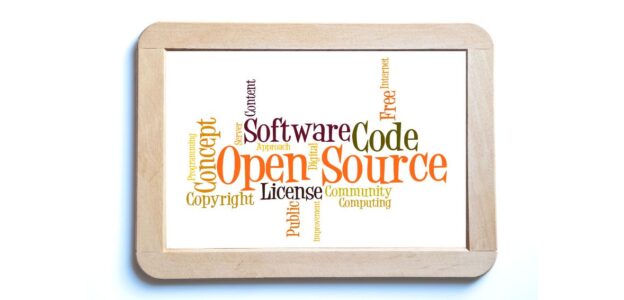
A tenant portal increases overall satisfaction and encourages long-term retention by providing tenants with easy access to necessary information and services. This tool not only empowers tenants by giving them control over their rental interactions but also streamlines property managers’ management tasks.

Maintenance Management

Effective maintenance management within a property management system ensures that all properties are kept in excellent condition, directly influencing tenant satisfaction and property value. 

This feature allows property managers to organize, track, and prioritize tenant maintenance requests, schedule repairs, and conduct regular inspections. By systematically addressing maintenance issues and documenting the upkeep, a PMS helps prolong the property’s lifespan and ensures that tenants have a safe and pleasant living environment.

Compliance Management

Compliance management is crucial for operating within the legal frameworks set by local, state, and federal regulations. A PMS with robust compliance management features helps property managers stay updated on new laws and regulations, manage lease agreements according to legal standards, and ensure that all practices are compliant. 

This protects the management firm from legal penalties and reassures tenants that their residence is managed professionally and lawfully.

Sophisticated Data Security

In an era where data breaches are increasingly common, ensuring the security of sensitive information is paramount. 

A property management system must include advanced data security protocols such as encryption, secure data storage, and multi-factor authentication. These measures protect information related to properties, tenants, and financial transactions from unauthorized access and cyber threats, maintaining confidentiality and integrity of the data.

Tenant Screening

Tenant screening is a critical feature that aids in the selection of reliable and qualified tenants. By integrating screening tools, a PMS can automate the process of checking a potential tenant’s credit score, rental history, and background. 

This not only streamlines the tenant acquisition process but also minimizes risks associated with non-payment and property damage, ensuring a more stable and reliable tenant base.

Automated Tasks and Procedures

Automation of routine tasks and procedures in a property management system enhances efficiency and accuracy. This feature can automate sending rent reminders, updating financial ledgers, and generating performance reports, among other tasks. By reducing the manual workload, automation lowers the risk of human error and allows property managers to focus more on strategic tasks and tenant engagement, ultimately improving operational efficiency and service quality.

  1. AI Integration is a Must

Integrating artificial intelligence (AI) into a property management system can significantly transform the efficiency and effectiveness of property management. AI technologies enable the automation of complex decision-making processes, which can range from optimizing maintenance schedules based on predictive analytics to assessing potential tenant applications more accurately. 

Furthermore, AI can provide insights into tenant behaviors and preferences, aiding in developing strategies to increase tenant retention. Additionally, AI can be utilized for dynamic pricing, adjusting rental rates based on market conditions and occupancy levels. The incorporation of AI into a PMS not only streamlines operations but also supports more informed, data-driven decisions that enhance overall property management.

  1. Integration Capabilities with Third-Party Applications

For a property management system to truly be effective, it must possess the capability to integrate seamlessly with other essential software tools used within the business. This includes CRM systems for managing customer relationships, accounting software for financial tracking, and building management systems for operational oversight. 

Integration capabilities enable a unified approach to managing all aspects of property management, eliminating the need to switch between different applications or manually transfer data. This not only boosts productivity by reducing time spent on repetitive tasks but also minimizes the chances of errors associated with manual data entry. Effective integration ensures that the property management system serves as a central hub, streamlining processes and ensuring consistency across various management tasks.

Choosing the right property management system is a strategic decision that can significantly influence the efficiency and profitability of your rental business. By understanding the essential features and carefully evaluating each option against your business needs, you can select a PMS that not only meets your current requirements but also supports your future growth.

Conclusion

Selecting the best Property Management System (PMS) is a strategic decision that can greatly enhance the efficiency and profitability of your rental business. A robust PMS simplifies complex processes, improves tenant relationships, and optimizes financial management. Automating routine tasks reduces operational overhead and minimizes errors, allowing property managers to focus on more critical aspects of their work. 

Essential features like marketing support, accounting tools, streamlined communication, online payment processing, tenant portals, maintenance management, compliance oversight, data security, tenant screening, and automation are vital in a top-tier PMS. Evaluating these features against your specific business needs ensures that you choose a system that addresses your current requirements and scales with your future growth. Investing in the right PMS is crucial for staying competitive and achieving long-term success in the dynamic rental market.

Frequently Asked Questions

Integrating AI into a PMS allows for predictive maintenance, smart allocation of resources, and real-time decision-making, significantly boosting operational efficiency by automating routine tasks and optimizing asset management.

Essential security features include multi-factor authentication, end-to-end encryption, and regular security audits. These elements safeguard sensitive information from unauthorized access and potential data breaches.

A robust PMS facilitates streamlined communication through automated notifications, a centralized communication portal, and mobile compatibility, ensuring timely and consistent interactions between property managers, tenants, and owners.

Scalability is crucial as it ensures the PMS can handle increasing amounts of data and transactions, integrate new properties seamlessly, and support evolving business needs without compromising performance or user experience.